

Auto PiP Video
4 ratings
)
Overview
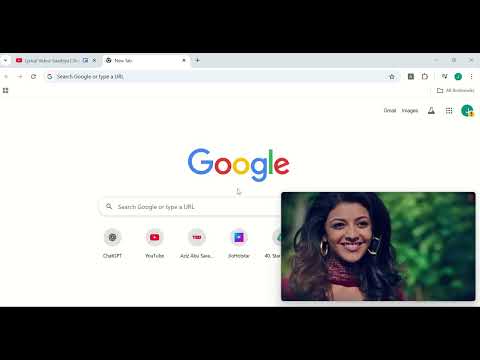
Automatically enable Picture-in-Picture for videos when switching tabs (first auto, then requires key press).
Short Description: Automatically enable Picture-in-Picture (PiP) for videos and control YouTube playback directly from PiP mode. Full Description: Enhance your video watching experience with Auto PiP Video Controller! Automatic PiP: The first time you visit any website, videos enter Picture-in-Picture (PiP) mode automatically. Keyboard Shortcut: Press P anytime to activate PiP for videos on any site. YouTube Controls: Enjoy Next and Previous buttons(specifically for a playlist) directly in PiP mode for YouTube, so you can navigate videos without leaving PiP. Cross-Platform: Works seamlessly on most websites and streaming platforms. Lightweight & User-Friendly: Minimal setup required, giving you a smooth, distraction-free viewing experience. Take control of your videos, multitask efficiently, and never miss a moment!
4.2 out of 54 ratings
Details
- Version1.0
- UpdatedSeptember 27, 2025
- Offered byjanhviabhiram2103
- Size4.66KiB
- LanguagesEnglish
- Developer
Email
janhviabhiram2103@gmail.com - Non-traderThis developer has not identified itself as a trader. For consumers in the European Union, please note that consumer rights do not apply to contracts between you and this developer.
Privacy

This developer declares that your data is
- Not being sold to third parties, outside of the approved use cases
- Not being used or transferred for purposes that are unrelated to the item's core functionality
- Not being used or transferred to determine creditworthiness or for lending purposes
Support
For help with questions, suggestions, or problems, visit the developer's support site