


Overview
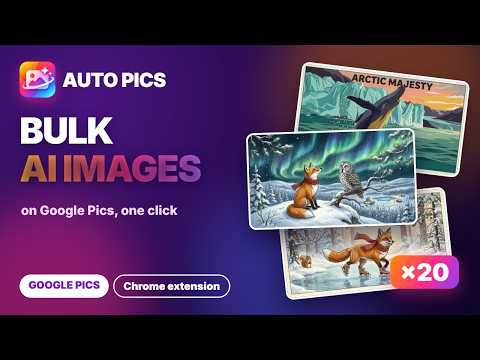
Automate Google Pics: batch image generation from a prompt list, with reference images, a run queue, auto-download and logo removal.
Auto Pics - batch automation for Google Pics (docs.google.com/images). Paste a list of prompts, press Start, and every image is saved to your computer automatically. Google Pics makes great images, but one prompt at a time. Auto Pics adds the production line, so a whole batch runs while you do something else. WHAT IT DOES 🖼️ Two pages, one panel, with a help popup • Text → Image: describe the image in words, one row per prompt • Image → Image: each prompt carries reference images (characters, objects, settings, styles) 📝 Prompts and settings • Paste prompts or import a TXT / Excel (.xlsx) file: one prompt per line, or multi-line blocks • 10 aspect ratios • Choose how many images to keep per run, how many rows run at once and the wait between rows • One prompt = one Google Pics run; the top bar shows the runs left, e.g. "279/300 runs" 🧩 Reference images (Image → Image) • Up to 14 reference images per row • Add images row by row or use 1 image for all rows; drag & drop onto a cell • Reference library: name your images once and the extension attaches them when the name appears in the prompt (By keyword or Exact) • Naming check shows which names are good and which to fix ⚙️ Run queue • Queue manager: tasks run in order across both pages; edit, skip or delete any task • Pause / Stop, Retry failed, Run selected, or retry a single row 💾 Saving and results • Auto-download to your Downloads folder, a subfolder per task, with file-naming patterns • The Gemini logo (watermark) is removed automatically, on by default; turn on "Show Gemini logo" to keep it • Full-size viewer for every result • Session saved and restored; the batch keeps running even when the control window is closed • "Check and reclaim file naming" button, for when another extension renames your downloads 🌐 11 interface languages: English, Tiếng Việt, 中文, हिन्दी, Español, Português (BR), Русский, বাংলা, اردو, Türkçe, ไทย 💳 PLANS • The Lite plan is all you need for Auto Pics. The same Lite plan also covers Auto Flow, Auto Vibes and ChatGPT Image Auto. • Plus and Max are the plans of the G-Labs Studio desktop app, and they include the extensions too. • Free Basic trial with small limits: 1 task, 5 prompts, 1 row at a time. • Want the most complete toolset? Try the G-Labs Studio desktop app: duckspace.net/g-labs-studio HOW TO USE 1. Install Auto Pics and open it from the toolbar 2. Sign in with Google to load your plan, then sign in to a Google account that has Google Pics 3. Pick Text → Image or Image → Image, paste your prompts, choose the settings, press Start NOTES • Requires a Google account with access to Google Pics. Images are generated by your own Google Pics account and use its quota. • No passwords are collected. Your prompts and images stay in your browser; only your sign-in email is sent to the licence server. • Auto Pics is an independent tool and is not affiliated with or endorsed by Google.
0 out of 5No ratings
Details
- Version1.0.0
- UpdatedNovember 9, 2026
- Size292KiB
- Languages11 languages
- DeveloperWebsite
Email
duckmartians@googlegroups.com - Non-traderThis developer has not identified itself as a trader. For consumers in the European Union, please note that consumer rights do not apply to contracts between you and this developer.
Privacy

This developer declares that your data is
- Not being sold to third parties, outside of the approved use cases
- Not being used or transferred for purposes that are unrelated to the item's core functionality
- Not being used or transferred to determine creditworthiness or for lending purposes
Support
For help with questions, suggestions, or problems, please open this page on your desktop browser