

Auto Meta - Automation for Meta AI

Descripción general
Automate your bulk video creation workflow on Meta AI. Save time and accelerate creativity!
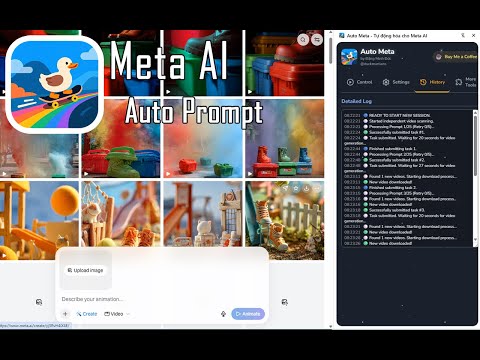
Stop creating Meta AI videos one by one. Auto Meta automates your entire workflow, helping you turn a folder of images or a list of ideas into hundreds of AI videos with just a few clicks. Install Auto Meta to save hours of manual work and accelerate your content creation. ✨ WHY SHOULD YOU INSTALL AUTO META? This tool is designed to solve the single biggest problem with Meta AI: the manual workflow. Instead of repeating the tedious process of uploading 1 image, entering 1 prompt, waiting, and downloading, Auto Meta does it all for you in a bulk queue. It's the ultimate tool for content creators, digital marketers, and social media managers who need to scale up their AI video production without wasting time. 📖 DETAILED FUNCTIONS Auto Meta operates intelligently with two modes, which activate automatically based on your input: 1. Image-to-Video Mode (Activates when you select images) Perfect for creating bulk videos from an existing library of images. - How it works: Select multiple images, add your list of prompts. The tool will automatically pair 1 image with 1 prompt and click "Generate". - Prompt Cycling: If your prompt list is shorter than your image list, the tool automatically cycles back and reuses prompts from the beginning. - Image Sorting: Manage your image queue by sorting A-Z, Z-A, Newest, or Oldest. 2. Text-to-Video Mode (Activates when NO images are selected) Ideal for when you just have ideas (prompts) and want Meta AI to generate the video. - How it works: Simply enter your list of prompts (separated by a blank line). The tool will automatically take one prompt at a time and click "Generate". - Smart: The tool detects you haven't selected images and switches to this mode automatically—no settings required. Key Supporting Features: 📥 Auto-Download: The tool constantly scans the page and automatically clicks the download button for any newly finished videos. 📝 Import from File: Easily import hundreds of prompts at once from a prepared .txt file. ⚙️ Advanced Control: - Start From...: Choose the exact starting position (e.g., start from image #50 or prompt #100). - Custom Wait Times: The tool intelligently suggests different wait times (10-20s for image mode, 15-30s for text mode), but you can override them at any time. 💡 IMPORTANT TIP FOR 100% AUTOMATIC DOWNLOADING To have videos download straight to your folder without a "Save As..." pop-up, you must do the following: - Go to chrome://settings/downloads in your browser. - Turn OFF the option: "Ask where to save each file before downloading".
3,4 de 560 valoraciones
Detalles
- Versión2.0.0
- Actualizado26 de abril de 2026
- Tamaño3.04MiB
- Idiomas2 idiomas
- DesarrolladorSitio web
Correo electrónico
dangduc131@gmail.com - No operadorEste desarrollador no se ha identificado como operador. Los consumidores residentes en la Unión Europea deben tener en cuenta que los derechos de los consumidores no son aplicables a los contratos que suscriban con este desarrollador.
Privacidad

Este desarrollador declara que tus datos:
- No se venden a terceros, excepto en los casos de uso aprobados
- No se usan ni se transfieren para fines no relacionados con la función principal del elemento.
- No se usan ni se transfieren para determinar la situación crediticia ni para ofrecer préstamos.
Ayuda
Si tienes alguna pregunta, sugerencia o problema, abre esta página en tu navegador para ordenadores