

Otomatik Geçmiş Silme

Genel bakış
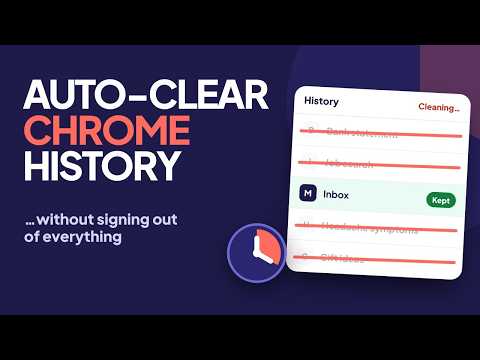
Otomatik Geçmiş Silme: Tarama geçmişini, önbelleği ve çerezleri otomatik veya manuel olarak temizleyin.
🔒 Auto History Wipe: Clean without losing your sessions Auto History Wipe cleans your browsing history, cache, cookies and other browsing data automatically or with one click, and keeps you signed in to the sites you choose. No account, no ads, no tracking. ✨ WHAT MAKES IT DIFFERENT • Protected sites: keep cookies, cache and site data for the sites you pick, so you stay signed in • Optional: keep the browsing history of protected sites too • Different data for each trigger: for example, clear history every hour but cookies only when the browser closes • Clean only this site: remove one site's cookies, cache and site data without touching the rest • Snooze: push the next automatic cleaning back by one hour • Panic shortcut: clean your data, close every tab and open a blank one (set your keys at chrome://extensions/shortcuts) ⏰ WHEN IT CLEANS • With one click from the popup, or with a keyboard shortcut you choose at chrome://extensions/shortcuts • When the browser closes (finished on the next start if needed) • On a schedule: any interval in minutes, hours or days, with a live countdown • When you are away: after the computer has been idle for the time you set • When the screen locks 🎯 WHAT IT CLEANS • Browsing history • Download history • Cache • Cookies • Form data • Local storage and site data • Saved passwords (optional, off by default) Three ready-made profiles: Light (history and cache), Standard (adds cookies, downloads and form data) and Deep (adds local storage and site data). Or choose every data type yourself. ⏱️ TIME RANGE • Last day, last 3 days, last week or last month • All time • Custom number of days ⚙️ MORE • One-click mode: clicking the toolbar icon cleans immediately • Statistics: cleaning counts for the last 7 days and recent activity, stored only on your device • 55 languages, with a language switch inside the extension • Pause and resume the extension at any time 🔒 PRIVACY FIRST Auto History Wipe does not collect or transmit any data. It has no analytics and makes no network requests. Settings are saved with Chrome's own storage. Good to know: Chrome cannot separate download history and form data by site, so those are cleaned for protected sites too. Keeping the history of protected sites is optional and needs the browsing history permission, which Chrome asks for only when you switch that option on. ------------------------------------------------ ⚙️ What's new in 0.3.0 • Keep recent history: delete only history older than 3, 7, 14, 30 or any number of days you choose • Always-forget sites: their history is deleted the moment you visit them • Protect bookmarked sites: stay signed in to every site in your bookmarks • Back up and restore your settings with a file • A clearer welcome screen and small improvements ------------------------------------------------ ⚙️ What's new in 0.2.1 • Dark mode, with a theme choice in the settings • Cleaning on start now runs right away, without the short delay ----------------------------------------------- ⚙️ What's new in 0.2.0 • New design, new icon and a first-run setup • Protected sites, cleaning profiles and "clean only this site" • Away and screen-lock cleaning, snooze, panic shortcut and one-click mode • Separate data selection for scheduled, on-close and away cleaning • Statistics and an in-extension language switch Website and setup guide: https://autohistorywipe.app Video tour: https://www.youtube.com/watch?v=QdCugFqBCGc Contact: support@autohistorywipe.app
5 üzerinden 4,137 puan
Ayrıntılar
- Sürüm0.3.0
- Güncellenme tarihi:21 Kasım 2026
- Boyut465KiB
- Diller55 dil
- GeliştiriciWeb sitesi
E-posta
support@autohistorywipe.app - Tacir olmayanBu yayıncı kendisini tacir olarak tanımlamamış. Avrupa Birliği'ndeki tüketiciler açısından bakıldığında, bu geliştiriciyle yapmış olduğunuz sözleşmelerde tüketici haklarının geçerli olmadığını lütfen unutmayın.
Gizlilik

Bu geliştirici, verilerinizle ilgili olarak aşağıdakileri beyan eder:
- Onaylanan kullanım alanları dışında üçüncü taraflara satılmaz
- Öğenin temel işleviyle alakasız amaçlar için kullanılmaz ya da aktarılmaz
- Kredibilitenin belirlenmesi veya borç verme amaçlarıyla kullanılmaz ya da aktarılmaz
Destek
Sorular, öneriler veya sorunlarla ilgili yardım için lütfen bu sayfayı masaüstü tarayıcınızda açın