Item logo image for Auto Full Screen for Tabs & Videos

Auto Full Screen for Tabs & Videos

saasminded.dev
4.8(

6 ratings

)
Item media 5 (screenshot) for Auto Full Screen for Tabs & Videos
Item media 6 (screenshot) for Auto Full Screen for Tabs & Videos
Item video thumbnail
Item media 2 (screenshot) for Auto Full Screen for Tabs & Videos
Item media 3 (screenshot) for Auto Full Screen for Tabs & Videos
Item media 4 (screenshot) for Auto Full Screen for Tabs & Videos
Item media 5 (screenshot) for Auto Full Screen for Tabs & Videos
Item media 6 (screenshot) for Auto Full Screen for Tabs & Videos
Item video thumbnail
Item media 2 (screenshot) for Auto Full Screen for Tabs & Videos
Item video thumbnail
Item media 2 (screenshot) for Auto Full Screen for Tabs & Videos
Item media 3 (screenshot) for Auto Full Screen for Tabs & Videos
Item media 4 (screenshot) for Auto Full Screen for Tabs & Videos
Item media 5 (screenshot) for Auto Full Screen for Tabs & Videos
Item media 6 (screenshot) for Auto Full Screen for Tabs & Videos

Overview

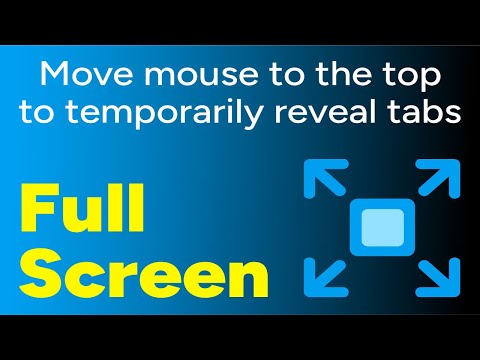
Toggle tab full screen by placing the cursor at the top. Toggle video full screen video by pressing play & pause.

PLEASE FOLLOW INSTRUCTIONS !!! 1) After installing the extension, restart the browser or reload all previously opened tabs. 2) Pin the icon to the taskbar. 3) Stretch the browser to the top and edges, but leave a little space below. 4) Check if it's well positioned by clicking the resize button. The browser should not move. 5) Activate the extension by clicking the icon. 6) By moving the cursor to the top of the screen, you can show tabs, taskbar and other controls. When you lower the cursor, the browser will enter Full Screen more again. Toggle tab full screen by placing the cursor at the top. Toggle video full screen video by pressing play & pause. Key Features & Benefits: ● True Firefox-Style Full screen: Enjoy the smart, auto-hiding UI that appears when you need it and disappears when you don't. ● Total Immersion, Total Control: Get maximum screen space for videos, reading, or focused work, while keeping your tabs and controls just a mouse-flick away. ● Intuitive Keyboard Shortcut: You can exit instantly with the Escape key. ● Seamless Workflow: Designed to transition perfectly from a standard maximized window to a chromeless full screen environment. ● Lightweight & Focused: No complex settings or bloat. It does one thing and does it perfectly.

Details

  • Version
    2.1
  • Updated
    December 15, 2025
  • Size
    64.62KiB
  • Languages
    English
  • Developer
    Website
    Email
    john.webber.dev@gmail.com
  • Non-trader
    This developer has not identified itself as a trader. For consumers in the European Union, please note that consumer rights do not apply to contracts between you and this developer.

Privacy

The developer has disclosed that it will not collect or use your data. To learn more, see the developer’s privacy policy.

This developer declares that your data is

  • Not being sold to third parties, outside of the approved use cases
  • Not being used or transferred for purposes that are unrelated to the item's core functionality
  • Not being used or transferred to determine creditworthiness or for lending purposes

Support

Related

Toolbar Clock Icon, World Clocks, Alerts & Alarms, Timer, Stopwatch, Notes

4.9

A digital clock that displays the current time in the extension icon. Set World Clocks, Alarms, Timers, Stopwatch, and create Notes.

Auto Fullscreen

3.8

Turbo Long Press fullscreen toggle. Intelligently respects your workflow with customizable charge timing and colors.

Full Screen Video

5.0

A chrome extension to play HTML5 Video element without a full screen option, such as YT shorts and Instagram reels, in full screen.

Fullscreen Magic

5.0

Automagically finds a video, game, frame, or other embedded content in a webpage and makes it full screen with a single click

Video Quality Enhancer: Improve Sharpness, Lighting, Gamma and Saturation

4.8

Works better than Edge and Opera's Lucid Mode on all streaming websites: YouTube, Twitch, Netflix, Amazon, Apple, and more!

Auto Fullscreen Tab

1.0

Automatically makes a specific tab fullscreen.

Automatic Fullscreen

5.0

Puts a window automatically to fullscreen-mode when the window is opened for the first time.

Video Maximizer - Zoom to Fill

4.8

Quickly and securely zoom videos to fill your browser on most sites. Control the size when fullscreen is too big.

Windowed Fullscreen - YouTube & All Videos

5.0

Watch YouTube, Twitch & any video fullscreen in your browser tab. Theater mode without hiding taskbar. Press F to toggle.

Right-Click Magic: Open Tabs, View or Download Images, Hover Zoom, Search

0.0

Your custom right-click rules. Open links, view or download hi-res images, zoom on hover, search selected text, copy text & paste.

Full Screen Tabs

4.2

Enjoy chrome tab navigation in fullscreen — instantly switch & open tabs like normal in chrome kiosk mode with Full Screen Tabs!

Full screen your Videos

3.7

Watch your videos in full screen with one click on the full screen button

Toolbar Clock Icon, World Clocks, Alerts & Alarms, Timer, Stopwatch, Notes

4.9

A digital clock that displays the current time in the extension icon. Set World Clocks, Alarms, Timers, Stopwatch, and create Notes.

Auto Fullscreen

3.8

Turbo Long Press fullscreen toggle. Intelligently respects your workflow with customizable charge timing and colors.

Full Screen Video

5.0

A chrome extension to play HTML5 Video element without a full screen option, such as YT shorts and Instagram reels, in full screen.

Fullscreen Magic

5.0

Automagically finds a video, game, frame, or other embedded content in a webpage and makes it full screen with a single click

Video Quality Enhancer: Improve Sharpness, Lighting, Gamma and Saturation

4.8

Works better than Edge and Opera's Lucid Mode on all streaming websites: YouTube, Twitch, Netflix, Amazon, Apple, and more!

Auto Fullscreen Tab

1.0

Automatically makes a specific tab fullscreen.

Automatic Fullscreen

5.0

Puts a window automatically to fullscreen-mode when the window is opened for the first time.

Video Maximizer - Zoom to Fill

4.8

Quickly and securely zoom videos to fill your browser on most sites. Control the size when fullscreen is too big.

Google apps