

AUTO DESIGN PRO
4 ratings
)
Overview
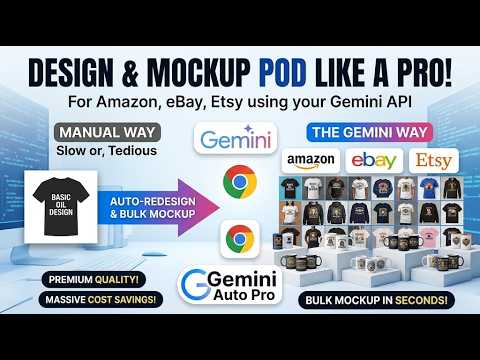
POD Auto-Redesign & Bulk Mockup (Amazon, Ebay, Etsy). Uses your Gemini API for premium design quality & massive cost savings!
🔥 THE ULTIMATE AUTO-REDESIGN & MOCKUP AUTOMATION TOOL FOR POD & DESIGNERS 1-Click Auto-Redesign & Bulk Mockup tool for POD Print On Demand (Merch Amazon, EBay, Etsy...) Uses your Gemini API for massive cost savings & premium design quality! Tired of spending hours manually redesigning concepts and applying them to mockups one by one? Are expensive monthly software subscriptions eating into your profit margins? AUTO DESIGN PRO 2.0 is your ultimate workflow automation powerhouse. Directly integrated with Google's Gemini API, this extension turns your tedious manual work into a 1-click, high-quality bulk processing machine! ✨ KEY FEATURES & EXCLUSIVE BENEFITS: 🎨 Smart Auto-Redesign: Feed the AI your initial ideas or reference images, and it automatically analyzes and generates entirely new, high-quality design variations with unique layouts and styles. No more creative blocks! 🖼️ 1-Click Bulk Mockups: Instantly apply dozens or hundreds of your generated designs onto professional mockups. Get your products ready for listing in seconds, not hours. 🔑 Bring Your Own Key (BYOK) - Massive Cost Savings: Run on your own Google Gemini API key. Take advantage of Google's incredibly generous free tier—process a massive volume of work for free, pay exactly for what you use beyond that, and say goodbye to expensive monthly AI token fees! 💾 Auto-Save Everything: Say goodbye to copy-pasting! All AI-generated text, redesigned images, and mockups are automatically downloaded directly to your selected local folder. 💻 Smart Floating Dock Interface: A clean, draggable interface designed for modern workflows. Simply click the extension icon to launch. The panel features zoom, minimize, and close options, and strictly stays active without auto-closing when you switch to a new tab. 🌐 Dual Language UI: Fully supports English & Vietnamese. 🛠️ HOW IT WORKS: Pin the extension and click the icon to open the floating dock. Enter your free Google Gemini API Key. Select your custom prompt (GEM) and your local mockup folder. Drag and drop your input images or design ideas. Click "Run" and watch as the AI automatically redesigns, creates your mockups, and saves the final output directly to your PC! 🔒 PRIVACY & SECURITY: Your data is 100% secure and private. Auto Design Pro runs locally in your browser. Your Gemini API Key and License Key are stored securely in Chrome's local storage. We do not collect, transmit, or store your keys or generated content on any external servers. ⏳ TRY IT FREE FOR 24 HOURS! Install the extension and experience the full power of Auto Design Pro for 24 hours (no credit card required) before grabbing your subscription license. Scale your business today!
4 out of 54 ratings
Details
- Version3.2
- UpdatedMay 30, 2026
- Offered bytinidigitalstore
- Size68.6KiB
- LanguagesEnglish
- DeveloperNguyen Ha Thanh
To 77 Nai Hien Dong Son Tra, Đà Nẵng 550000 VNEmail
tinidigitalstore@gmail.comPhone
+84 983 932 251 - TraderThis developer has identified itself as a trader per the definition from the European Union and committed to only offer products or services that comply with EU laws.
Privacy

AUTO DESIGN PRO has disclosed the following information regarding the collection and usage of your data. More detailed information can be found in the developer's privacy policy.
AUTO DESIGN PRO handles the following:
This developer declares that your data is
- Not being sold to third parties, outside of the approved use cases
- Not being used or transferred for purposes that are unrelated to the item's core functionality
- Not being used or transferred to determine creditworthiness or for lending purposes
Support
For help with questions, suggestions, or problems, visit the developer's support site