

Auto Clicker (Secure)

Overview
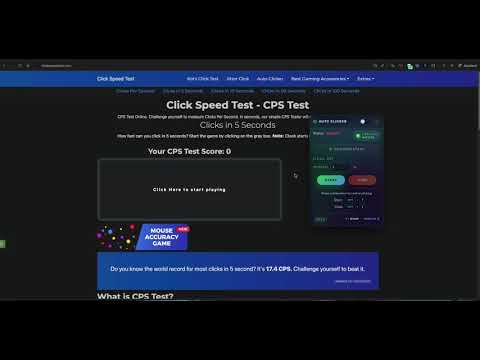
Advanced automatic clicker with multi-target support and adjustable speed.
✨ KEY FEATURES ✨ 🚀 Precision Clicking: Set custom click intervals in milliseconds (ms) for consistent, reliable clicking exactly when you need it. 🎯 Multi-Target Support: Configure multiple click targets on the page at once and let the auto clicker handle them in sequence or in parallel. ⌨️ Smart Hotkeys: Start and stop automatic clicking instantly using convenient keyboard shortcuts, without touching the UI. 🎮 Optimized for Web Games: Built with games like Cookie Clicker in mind and works directly in the page context for maximum compatibility. 🧠 Runs Inside Your Browser: Uses modern Chrome Manifest V3 architecture with background service worker and content scripts instead of any native apps. 🔒 100% Local & Private: All logic runs locally in your browser. No tracking, no remote servers, no registration, and absolutely no ads.
0 out of 5No ratings
Details
- Version3.2
- UpdatedApril 21, 2026
- Offered byBinop
- Size54.46KiB
- LanguagesEnglish
- Developer
Email
binop.crowd905@passinbox.com - Non-traderThis developer has not identified itself as a trader. For consumers in the European Union, please note that consumer rights do not apply to contracts between you and this developer.
Privacy

This developer declares that your data is
- Not being sold to third parties, outside of the approved use cases
- Not being used or transferred for purposes that are unrelated to the item's core functionality
- Not being used or transferred to determine creditworthiness or for lending purposes