


Overview
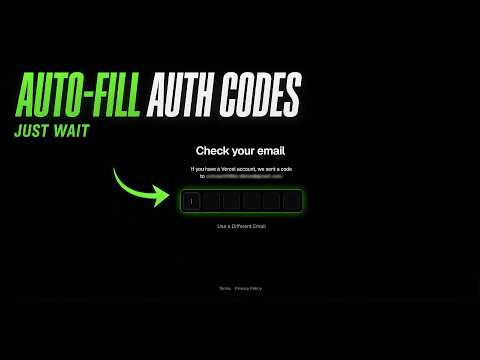
Universally detects and fills OTP/2FA codes from Gmail on any website.
Auto Auth Filler finds the verification code in your most recent Gmail message and fills it into the one-time-code field on the page you are signing in to, so you no longer have to switch to your inbox and copy it by hand. HOW IT WORKS 1. Sign in with Google once. The only permission requested is gmail.readonly, so the extension cannot send, delete or modify your mail. 2. Visit any site that sends you a verification code by email. 3. The code is entered for you and the overlay shows which email it came from. Automatic filling can be switched off in the settings if you would rather click each time. On password fields the extension always waits for a click, whatever the setting. WORKS EVERYWHERE, AUTOMATICALLY There are no site whitelists and no setup per domain. A score-based detection engine recognises code fields by their attributes, input mode, label text and the wording of the surrounding form, so it works on login forms, 2FA prompts and password-reset pages across the whole web. WHAT IT SUPPORTS - Standard 6 to 8 digit codes - Alphanumeric codes of 6 to 8 characters - Hyphenated codes, numeric like 123-456 and alphanumeric like BYF-4UI - Google G-XXXXXX codes - Split-digit boxes, where each character has its own input - German forms as well as English ones - Optional auto-submit once the code is in - A maximum code age, ten minutes by default - A per-domain blocklist PRIVACY Nothing leaves your browser. There is no server, no analytics and no telemetry. Message bodies are read in memory only for as long as it takes to look for a code, and are never stored, logged or transmitted. Open source under the MIT licence: https://github.com/AlekPnv/auto-auth-filler
0 out of 5No ratings
Details
- Version3.12.0
- UpdatedOctober 17, 2026
- Size60.0KiB
- LanguagesEnglish
- DeveloperWebsite
Email
AlekPen99@gmail.com - Non-traderThis developer has not identified itself as a trader. For consumers in the European Union, please note that consumer rights do not apply to contracts between you and this developer.
Privacy

Auto Auth Filler has disclosed the following information regarding the collection and usage of your data. More detailed information can be found in the developer's privacy policy.
Auto Auth Filler handles the following:
This developer declares that your data is
- Not being sold to third parties, outside of the approved use cases
- Not being used or transferred for purposes that are unrelated to the item's core functionality
- Not being used or transferred to determine creditworthiness or for lending purposes
Support
For help with questions, suggestions, or problems, visit the developer's support site