


概述
Fast AI voice dictation that works on any website. Speak and get clean, polished text in any text field, instantly.
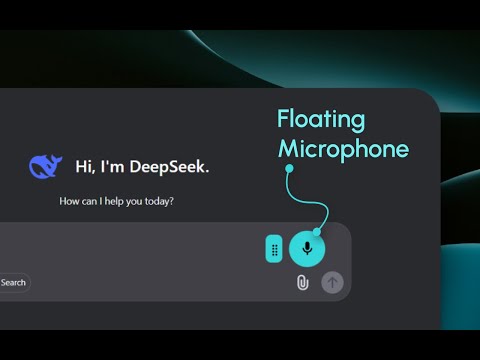
You stop talking. The text is already there. Speak anywhere and get finished writing instantly. Contextli is a voice to text Chrome extension that turns your speech into clean, polished text and drops it straight into whatever field you are typing in, on any website. ⚡ Built for speed Most voice typing tools make you finish talking and then wait. Contextli does not. Transcription and AI cleanup run on a direct, low-latency path called straight from your device, instead of being routed through a slow server in the middle. The result feels near-instant. Paid plans run even faster, with priority processing and higher usage limits. 💻 Use your voice in every app, not just the browser You are on your computer right now, so get the most out of Contextli: install the desktop app too. The Chrome extension gives you voice to text on any website. The Contextli desktop app for Windows, macOS, and Linux gives you the same thing in every application on your machine: your email client, your code editor, Slack, Notion, documents, anywhere you can type. One voice, every app. There is an iOS app as well, so your dictation follows you to your phone. Download the desktop app at contextli.com. 🎯 Polished, not just transcribed You do not get raw, rambling speech full of "um" and missing punctuation. Contextli transcribes what you say and uses AI to clean it up into real sentences with proper formatting, ready to send or submit. Talk loosely, get text that reads like you wrote it carefully. 🧩 Contexts: your prompts, your format Save your own instructions once and reuse them everywhere. A "Context" is a stored prompt that automatically shapes your dictation for a specific workflow, so a support reply, a code prompt, a cold email, and a quick note each come out formatted the right way. Your stored prompts plus your speech equals perfectly formatted output for every workflow. 🌐 Works on every website A microphone button sits in your text fields across the web, so you are never locked to one app or site. Dictate into emails, documents, comments, forms, chat boxes, and search bars, from Gmail and Google Docs to AI tools like Claude and Perplexity, and anywhere else you type. If it has a text field, you can speak into it. 🙌 Made for people who would rather talk than type - Professionals drafting emails, messages, and reports all day - Developers describing bugs, prompts, and ideas without breaking flow - Writers and creators capturing thoughts the moment they strike - Students and researchers turning long thinking into clean notes - Anyone who finds heavy typing slow, tiring, or difficult 🔒 Private by design Your voice and transcribed text are not stored long term. Audio is processed and then discarded. Permissions are transparent, with no surprises. 💸 Free to start, upgrade for more Start free with a generous monthly allowance, full features, and no credit card. Paid plans start at $9/month and add faster, priority processing and higher usage limits for people who dictate all day. 🎤 How it works 1. Install Contextli and pin it. 2. Click the microphone in any text field, or open the popup, and start talking. 3. Review the polished text, then send or paste. That is it. Speak instead of type. Install Contextli, then grab the desktop app at contextli.com to use your voice across every site and every application.
4.4 星(5 星制)21 个评分
详情
隐私权

“Contextli: Voice to Text & AI Dictation, Anywhere”已就收集和使用用户数据披露了以下信息。 如需了解详情,请查看开发者的privacy policy。
Contextli: Voice to Text & AI Dictation, Anywhere会处理以下数据:
该开发者已声明,您的数据:
- 不会因未获批准的用途出售给第三方
- 不会为实现与产品核心功能无关的目的而使用或转移
- 不会为确定信用度或放贷目的而使用或转移
支持
若有任何疑问、建议或问题,请访问开发者的支持网站