


Overview
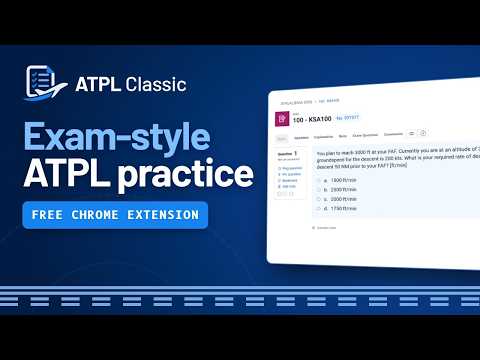
Exam-style ATPLQuestions interface with bookmarks, notes, side panels, image tools, drawing and a CRP-5 flight computer link.
ATPL Classic is an unofficial interface enhancement for ATPLQuestions that makes studying cleaner, faster and closer to the real exam. It redesigns the Study and Exam screens in the style of the official examination interface, in a Flat or a Modern style, while keeping the ATPLQuestions question bank and its own features working as normal. It also adds study analytics with a projected grade, a link to the CRP-5 flight computer, bookmarks with categories, paper notes, drawing and measuring tools, a full-size image viewer, and side panels for explanations and comments. NEW IN 3.0.0 • All settings in one place on the page: a new Settings window with General, Appearance, Study tools, Backup and Help, in your Flat or Modern style, light or dark • Answer from the CRP-5 panel: pick A–D beside the flight computer and see right away whether it was correct • Redesigned CRP-5 panel that follows the ATPLQuestions theme and your style • Finish test button to the right of Next once every question is answered • Blue time box on study and test pages, red on exam pages • Explanation side panel offered the first time you open an explanation, instead of being on from the start • Saved paper notes open more reliably from the notes library, and can be viewed on the search page if the question doesn't open INTERFACE AND NAVIGATION • Clean exam-style Study and Exam screens, in a Flat or Modern style • Follows the ATPLQuestions light or dark theme, with an Eye Saver mode for the light theme • Compact controls and navigation; the timer is blue on study pages and red on exam pages • A Finish test button appears to the right of Next once every question is answered • Redesigned Question Navigator showing answered, correct, incorrect, current and flagged questions; it stays in place when you change question • Optional whole-row answer clicking • Click the question number to copy it • Continue where you left off: reopens your last question and Question Navigator page after a refresh • Works in narrow windows too ANSWER COLORS • Choose the colors used for correct and wrong answers in the Question Navigator, the answer rows, the results and the analytics • Classic (green and red), Blue & orange, Teal & pink, Violet & amber, or Custom • Readable in the light and dark themes, with a live preview in the settings STUDY ANALYTICS • A chart button opens the analytics for the test you're doing • Correct, wrong and unanswered counts, your score so far, and a bar for every navigator page • Projected grade: your accuracy so far, applied to the whole test (every question is worth 1 point), rounded down and compared with the 75% pass mark • Counts every navigator page you've opened, so long tests (for example 300 questions in pages of 100) are counted in full • On Exam pages it shows your progress, because correct answers are only revealed when the exam is finished • Worked out in your browser CRP-5 FLIGHT COMPUTER • A CRP-5 button opens the CRP-5 web flight computer by Florian Scheuner (crp5.florian-scheuner.de) in a tab next to your study or exam • The current question appears there in a floating panel: text, tables, pictures and options A–D • Answer right in the panel: your choice is made in the study tab and the result shows in the panel (correct or wrong in Study; exams show results at the end) • The panel follows the ATPLQuestions light or dark theme and your Flat or Modern style • Follow the study (or exam): every question you open shows up in the panel by itself • Move, resize, enlarge the text or fold the panel away; it remembers its place • "Back to study" or "Back to exam" switches straight back, and pressing CRP-5 again reuses the open tab SETTINGS • Every setting in one Settings window on the page, so you can change things without leaving the question • Sections for General, Appearance, Study tools, Backup and Help, in your chosen style and theme • Choose Flat or Modern style and the answer colors, with small previews • Turn the Classic layout on or off with one switch, on the page or from the toolbar button • Adjustable interface size, and adjustable question, explanation and comment text size • Optional inline numbered statements, laid out side by side as in the official HCAA exam • Alternative Question Navigator colors • Guided setup on install: choose the style, colors, answering, panels and comfort options step by step, with a live preview QUESTION BOOKMARKS • Save to categories: tick one or more categories in a single popover, or type a new category in place • Create, rename, reorder, color, collapse and delete categories • Search and filter your bookmarks • Open bookmarked questions directly, even outside the current Study or Exam session: the question is found by its number in a new tab • Bookmark markers in the Question Navigator • Quick-access Bookmarks button with a saved-item counter, available across app.atplquestions.com NOTES AND PAPER NOTES • The Note tab is one tidy notebook card: a larger writing area, save status, character count, and Ctrl+Enter to save (notes are still saved by ATPLQuestions) • Scratch paper you can open while studying, then move, rotate and resize freely • Blank, ruled, grid, dotted and graph paper templates • Dark paper in the dark theme, with black and white ink that follows the theme • Draw and measure directly on the paper • Save a paper note to a question and reopen it from that question, or from the notes library, which opens the question in a new tab with its paper (or shows the note on the search page if the question can't be opened) • Search and manage all saved notes, available across app.atplquestions.com • Export notes as PNG or PDF, always on white paper DRAW ON SCREEN • Draw anywhere over the ATPLQuestions page • Interact mode lets you use the page without clearing your drawings • Pen, dot, line, perpendicular and measurement tools, with measurements in centimeters • Hold Shift to snap to 45 degrees • Adjustable color and width, including mouse-wheel width changes with a live preview • Pixel eraser and whole-shape eraser with adjustable size • Quick vertical controls for color, width and eraser while drawing, plus a Tool Properties panel • Undo, redo and clear IMAGE PREVIEW • "Open beside" button on every question picture • Full-resolution image viewer in a resizable side panel • Zoom, fit and rotate • The same drawing and measuring tools as Draw on Screen • Closes automatically after a correct answer and stays open after a wrong one • Open images from explanations directly in the viewer SIDE PANELS AND SPLIT SCREEN • Open Explanation and Comments in side panels while the question stays visible (the Explanation panel is offered the first time you open an explanation) • Show Image Preview and Explanation together in a vertical split with an adjustable divider • Explanation scrolls on its own • The question resizes automatically when panels open, and panel controls adapt when space is tight COMMENTS AND STUDY TOOLS • Cleaner Explanation, Note, Exam Question and Comments sections • Exam Question shows each country's flag and opens Real Exam Appearances • Comments remember your preferred sort order • Improved comment and reply styling • Normal text selection, copy and paste • Right-click menu with Copy, Paste and Draw on Screen BACKUP AND RECOVERY • Automatic local recovery copy of your settings, bookmarks, categories and paper notes • Restore your data after reinstalling on the same browser profile • Export and import a backup file whenever you like PRIVACY • No account, ads, usage tracking or remote code • One permission: storage • Runs on app.atplquestions.com, and on crp5.florian-scheuner.de only to show the question panel you sent there • Your settings, bookmarks, notes and study analytics are stored in your browser and are never sent to the developer or any third party ATPL Classic does not provide, change or replace any ATPLQuestions question-bank content. It only changes the interface and adds study tools. The CRP-5 web flight computer is made by Florian Scheuner. ATPL Classic only shows your current question beside it. ATPL Classic is an independent, unofficial extension and is not affiliated with or endorsed by ATPLQuestions or the CRP-5 web flight computer.
0 out of 5No ratings
Details
- Version3.0.0
- UpdatedSeptember 26, 2026
- Size704KiB
- LanguagesEnglish
- DeveloperWebsite
Email
greekcaptaingr@gmail.com - Non-traderThis developer has not identified itself as a trader. For consumers in the European Union, please note that consumer rights do not apply to contracts between you and this developer.
Privacy

This developer declares that your data is
- Not being sold to third parties, outside of the approved use cases
- Not being used or transferred for purposes that are unrelated to the item's core functionality
- Not being used or transferred to determine creditworthiness or for lending purposes
Support
For help with questions, suggestions, or problems, visit the developer's support site