

ATLAS - AI Memory Layer

Overview
Capture AI chats in one click. Search decisions and tasks later. Build portable Artefacts via MCP. No full transcript stored.
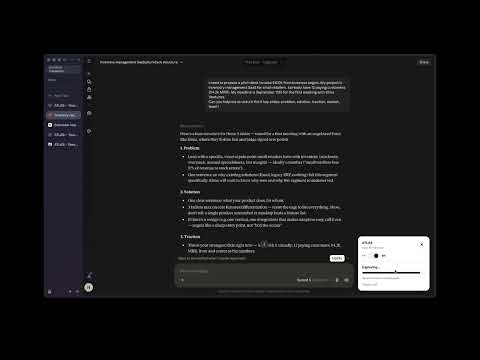
What is ATLAS? ATLAS is a Chrome extension that helps you keep useful work from your AI chats, without drowning in long message history. If you use AI tools every day, you know the problem: good ideas, decisions, and to-dos get buried in old conversations. Switching to another AI means starting over and re-explaining everything. ATLAS is built to fix that. What you can do with ATLAS 1) Save a conversation in one click Open an AI chat in your browser, then click the ATLAS button. ATLAS captures the useful parts of that session: decisions, key ideas, and tasks. 2) Find things later Everything you save goes to your private ATLAS dashboard. You can search across past sessions instead of scrolling forever. 3) Reuse context in another AI Copy a short, structured summary and paste it into another chat. The new AI gets the important context without you rewriting the whole story. 4) Turn finished work into an Artefact An Artefact is a clean page with: • the Story: problem, approach, and result • the Method: a Rules Pack you can reuse You can also connect MCP in Cursor or Claude so your AI helps draft Artefacts from your projects. How privacy works • Capture only happens when you click • ATLAS does not store your full raw transcript by default • Your dashboard is private and account-gated • Permissions are limited to supported AI sites and ATLAS Who it is for Builders, consultants, writers, and anyone who works with multiple AI chats and wants a searchable memory of what was decided. Getting started 1. Install ATLAS from the Chrome Web Store 2. Create a free account 3. Open an AI chat and capture your first session 4. Open your dashboard to search, share, or create an Artefact Start free. No credit card required. Uninstall anytime from Chrome.
0 out of 5No ratings
Details
- Version1.0.18
- UpdatedAugust 28, 2026
- FeaturesOffers in-app purchases
- Offered bypnael8926
- Size37.51KiB
- LanguagesEnglish (United States)
- DeveloperNael Eymeric Bendris
2 Chemin Vulcain Grenoble 38000 FREmail
pnael8926@gmail.comPhone
+33 6 46 40 14 20 - TraderThis developer has identified itself as a trader per the definition from the European Union and committed to only offer products or services that comply with EU laws.
Privacy

ATLAS - AI Memory Layer has disclosed the following information regarding the collection and usage of your data. More detailed information can be found in the developer's privacy policy.
ATLAS - AI Memory Layer handles the following:
This developer declares that your data is
- Not being sold to third parties, outside of the approved use cases
- Not being used or transferred for purposes that are unrelated to the item's core functionality
- Not being used or transferred to determine creditworthiness or for lending purposes