

AstroGlyph
5 件の評価
)
概要
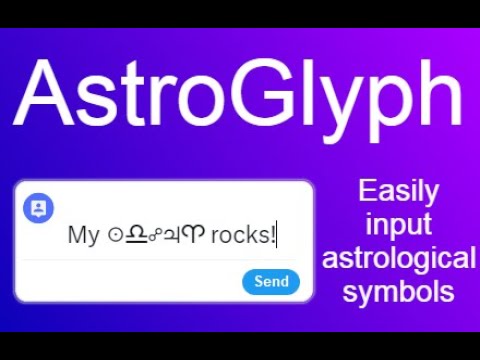
AstroGlyph lets you quickly copy astrological symbols to your clipboard from a convenient popup.
AstroGlyph is a simple Chrome extension that makes it really easy to input astrological symbols in your social media posts, emails, blogs, wherever. How does AstroGlyph work? 1. When you have a browser compatible with Chrome extensions open, click on the AstroGlyph icon from your extensions menu and a popup appears with astrological symbols and glyphs on it. 2. When you press a symbol on the popup, it gets automatically copied to your clipboard. 3. Paste the symbol wherever you need it using Ctrl+V, or Command+V, or right-click>Paste, or Edit>Paste, or however else you like to paste. Why do I need this? 1. Write more clearly and concisely Astrological jargon is often awkward and character-intensive. Why write "Sun in Libra opposite Jupiter retrograde in Aries" when you could just type "☉♎︎☍♃℞♈︎" with AstroGlyph? 2. Save yourself the time and frustration Finding and copying and pasting astrological symbols online is a bit of a chore. Give yourself a break by having AstroGlyph at the ready. Are there any special features? Yes! Press the checkbox at the bottom of the popup to "Open in a new window". This will open a new tab with the popup in it so you don't have to keep re-opening the extension to copy a symbol.
5 点満点で 55 件の評価
詳細
- バージョン1.0
- 更新:2023年9月15日
- 機能アプリ内購入ができます
- 提供元pwatsonastro
- サイズ270KiB
- 言語English (United States)
- デベロッパー
メール
patrickwatsonastrologer@gmail.com - 非取引業者このデベロッパーは取引業者として申告していません。EU 加盟国の消費者とこのデベロッパーとの間に締結された契約には、消費者の権利が適用されません。
プライバシー
AstroGlyph から、お客様のデータの収集と使用に関する以下の情報が開示されています。 詳しくは、デベロッパーの privacy policy をご確認ください。
AstroGlyph は次を扱います。
このデベロッパーは、お客様のデータについて以下を宣言しています
- 承認されている以外の用途で第三者に販売しないこと
- アイテムの中心機能と関係のない目的で使用または転送しないこと
- 信用力を判断する目的または融資目的で使用または転送しないこと