


Overview
AI-powered content summarization tool
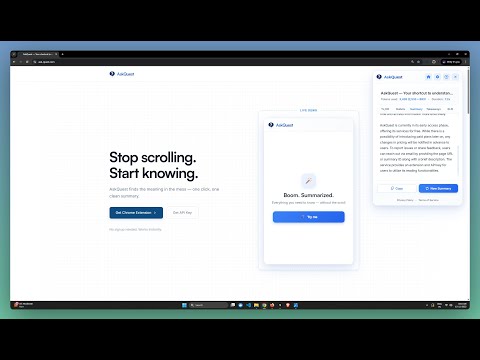
AskQuest – Instant, Clear Summaries of Any Webpage 🔍✨ AskQuest was built from a simple problem many of us face. Webpages are packed with ads, clutter, and filler text, making it hard to understand the point quickly. I kept searching for a tool that could clean up a page and highlight what actually matters. When I couldn’t find one, I created AskQuest. AskQuest gives you instant clarity on any webpage. It pulls out the main ideas, removes noise, and helps you learn faster without leaving the page. No copy-pasting. No switching tabs. No effort. What You Get ⚡ 📌 One-click webpage summaries 📌 Key points and takeaways 📌 Beginner-friendly explanations 📌 Multiple formats: Bullet Points, Key Takeaways, Short Summary, Deep Summary 📌 Clean, distraction-free reading 📌 Faster learning with less effort 📌 Lightweight and private—runs instantly Why It Works 📚 AskQuest is made for people who read a lot online. It keeps you focused, saves time, and makes complex pages easier to understand. Whether it’s articles, tutorials, or documentation, you get the meaning without the mess. Try AskQuest here: 👉 https://ask-quest.com
5 out of 51 rating
Details
- Version1.2.1
- UpdatedDecember 19, 2025
- Size200KiB
- Languages55 languages
- DeveloperWebsite
Email
abhijith1203@gmail.com - Non-traderThis developer has not identified itself as a trader. For consumers in the European Union, please note that consumer rights do not apply to contracts between you and this developer.
Privacy

AskQuest has disclosed the following information regarding the collection and usage of your data. More detailed information can be found in the developer's privacy policy.
AskQuest handles the following:
This developer declares that your data is
- Not being sold to third parties, outside of the approved use cases
- Not being used or transferred for purposes that are unrelated to the item's core functionality
- Not being used or transferred to determine creditworthiness or for lending purposes
Support
For help with questions, suggestions, or problems, please open this page on your desktop browser