


Overview
Chat with PDF, CSV & Excel using AI. Ask questions, get instant answers, summaries & citations. AI PDF reader & document assistant.
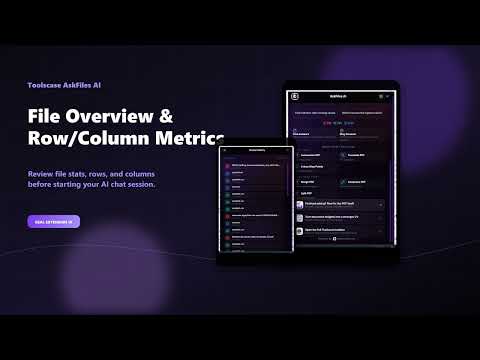
AskFiles AI is your intelligent AI document and spreadsheet assistant built directly into Chrome. Whether you're analyzing a 50-page PDF report, reviewing financial Excel sheets, or inspecting a massive CSV data export, AskFiles AI gives you instant, plain-language answers with exact citations � without manual scrolling, complex formulas, or jumping between external tools. ?? WHAT IS ASKFILES AI? AskFiles AI transforms how you interact with your files and data. Instead of spending hours reading through dense reports, searching through rows of spreadsheet data, or writing complex VLOOKUPs and pivot tables � AskFiles AI lets you upload any PDF, CSV, or Excel file and ask questions in plain English. Get instant summaries, specific data lookups, column analytics, and multi-turn conversational answers directly within your browser side panel or extension window. ?? POWERFUL MULTI-FORMAT FILE ANALYSIS: AskFiles AI is built from the ground up to treat spreadsheets and data files as first-class citizens alongside PDFs: � ?? PDF Chat & Analysis: - Upload research papers, financial statements, contracts, e-books, and user manuals. - Get instant page-level citations (e.g., "Page 14, Section 3.2") for every AI response. - Click any citation to quickly jump to and verify the source context. - Summarize long documents in seconds. � ?? CSV & Excel Spreadsheet Intelligence: - Upload .csv, .xlsx, or .xls budget sheets, sales reports, and customer lists. - Ask natural language questions like: "Which region had the highest revenue growth in Q3?" - Detect missing values, inconsistent date formats, and duplicate entries effortlessly without formulas. - Get instant column breakdowns and statistical insights. ?? ADVANCED AI DOCUMENT FEATURES: � Interactive Conversational Memory: Ask follow-up questions seamlessly. AskFiles AI remembers previous context for each file session. � Instant Document Summarization: Generate executive summaries, key takeaways, and action items with one click upon file upload. � Citation-Backed Answers: Never rely on hallucinated information. Every answer provides source page numbers or row/column references. � Data Extraction & Insights: Extract structured data, key figures, table metrics, and highlight trends across complex sheets. � Privacy-First Processing: Your files are processed securely for your query session and never used to train public AI models. � Right-Click Shortcut: Right-click any PDF, CSV, or Excel link on any website to instantly open it in AskFiles AI � no manual download needed. ?? PERFECT FOR PROFESSIONALS & STUDENTS: � Finance & Accounting Managers: Query budget vs. actuals, analyze line items, and extract financial metrics without complex spreadsheet formulas. � Data Operators & Analysts: Scan raw CSV exports for missing fields, inconsistent formatting, or outliers in seconds. � Researchers & Academics: Digest lengthy academic PDFs, extract methodology details, and compare findings. � Students: Upload lecture notes, syllabus PDFs, and problem sets to get clear explanations and step-by-step tutoring. � Business Owners & Marketers: Analyze sales trends, customer survey CSVs, and marketing campaign reports instantly. � Consultants & Freelancers: Quickly pull key facts and statistics from client documents to build proposals and reports faster. ?? HOW TO USE ASKFILES AI: 1. Click the AskFiles AI icon in your browser toolbar or open the Chrome Side Panel. 2. Drag and drop any PDF, CSV, or Excel (.xlsx) file into the upload zone. � OR � right-click any PDF/CSV/Excel link on a webpage and choose "Ask AskFiles AI about this file". 3. Choose a quick action ("Summarize Document", "Find Data Anomalies") or type any question in plain language. 4. Review the AI-generated answer along with clickable source citations. 5. Ask follow-up questions to delve deeper into your data. ?? PRIVACY & SECURITY FIRST: Your data security and privacy are our top priorities: � No account required to get started. � Secure, encrypted HTTPS communication for all AI processing. � Files and query session histories are stored locally in your browser storage (chrome.storage.local). � We do NOT sell your data, track browsing history, or use your uploaded documents for AI model training. � The extension does NOT inject code into websites you visit. It only interacts with pages when YOU right-click a supported file link. ?? TOOLSCASE PRODUCTIVITY ECOSYSTEM: AskFiles AI is part of the Toolscase productivity suite designed to simplify web and document workflows: � Toolscase PDF Tools � Convert, compress, merge, split, and edit PDFs directly in your browser. � CompareLens AI � Real-time product spec and price comparison matrix across major e-commerce platforms. � SwitchDoc AI � Instant document converter for Word, PDF, PPT, and Excel files. � CapturePDF � Capture full web pages and elements into clean, downloadable PDFs. Discover more at toolscase.com
0 out of 5No ratings
Details
- Version1.0.2
- UpdatedAugust 12, 2026
- Size200KiB
- LanguagesEnglish (United States)
- DeveloperHassan Saeed ChohanWebsite
House No 359, Mohallah Sheikhan , Zafarwal Tehsil Zafarwal District Narowal Zafarwal, Narowal 54000 PKEmail
hassanchohan10@gmail.comPhone
+92 301 1226722 - TraderThis developer has identified itself as a trader per the definition from the European Union and committed to only offer products or services that comply with EU laws.
Privacy

AskFiles AI - Chat with PDF, CSV & Excel has disclosed the following information regarding the collection and usage of your data. More detailed information can be found in the developer's privacy policy.
AskFiles AI - Chat with PDF, CSV & Excel handles the following:
This developer declares that your data is
- Not being sold to third parties, outside of the approved use cases
- Not being used or transferred for purposes that are unrelated to the item's core functionality
- Not being used or transferred to determine creditworthiness or for lending purposes
Support
For help with questions, suggestions, or problems, visit the developer's support site