


Overview
Powerful clipboard paste to any Asana task, subtask, project, description, or comment flexibly without first navigating to Asana
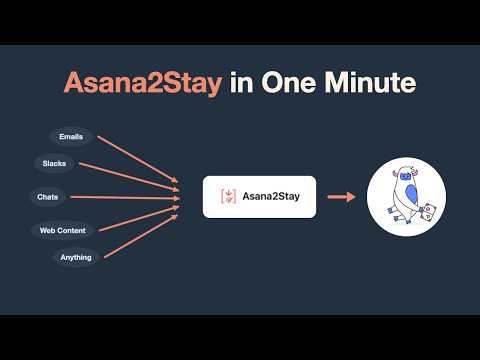
🔸 Turn emails, messages, anything from anywhere into actionable work in Asana 🔸 Asana2Stay pops over your app and keeps your focus; no need to navigate to Asana 🔸 No setup necessary; no extra login/auth; Start using right away (optional quick intro tour) 🔸 Fast, easy, flexible UI for novices; Many advanced options and full inline Help for power users 🔸 From the maker of Asana2Go (https://www.asana2go.com): 10,000+ users and 4.6 ★ rating Do You Ever Need To 🔸 Get content from an email, document, web page, or anywhere else into your Asana? 🔸 Paste that content to a particular location in your Asana? 🔸 Perhaps multiple times a day? 🔸 Log content to Asana ad hoc or regularly without fussing with CSVs, imports, and files? Asana2Stay Can Help 🔸 Stay organized in your Asana while allowing your collaborators to use their preferred channels 🔸 Paste to any Asana task, subtask, or project, or your My Tasks list in seconds 🔸 Autocomplete to any of those, or simply select a destination you recently used 🔸 Asana2Stay is your fastest way to bring ad hoc content into Asana — faster than basic copy/paste 🔸 Unique features not possible natively in Asana, AI Studio, AI Teammates, Script Actions, or the Asana API alone Quick Start 1️⃣ Open Asana in your browser 2️⃣ Copy content (Ctrl/Cmd+C) to the clipboard (email text, a document excerpt, a list of tasks, anything) 3️⃣ Click the Asana2Stay icon, or press Ctrl+Shift+Y (customizable) 4️⃣ Choose a paste destination, choose how to paste, click Paste More Info 🔸 Asana2Stay Demo and Explainer Video (5min): https://www.youtube.com/watch?v=DxvJ_OW7eqQ 🔸 Works with any Asana account (free and paid) 🔸 No personal information is collected or stored 🔸 Works in Chrome, Edge, and most Chromium-based browsers (Arc, Brave, Dia, ChatGPT Atlas, Perplexity Comet, etc.) — but not Safari or Firefox 🔸 See the Changelog in Asana2Stay Help for past updates 🔸 Asana2Stay is free for private or commercial use as described in the Terms and Conditions 🔸 By installing, you agree to the Terms and Conditions found at https://www.trilogisoftware.com/terms.html 🔸Created by Asana Services Partner and Consultant Larry Berger, Trilogi Solutions (https://www.trilogisolutions.com) 🔸 Asana2Stay has no direct affiliation with Asana the company
5 out of 55 ratings
Details
- Version1.1
- UpdatedJuly 29, 2026
- Size67.95KiB
- LanguagesEnglish (United States)
- DeveloperWebsite
Email
info@trilogisoftware.com - Non-traderThis developer has not identified itself as a trader. For consumers in the European Union, please note that consumer rights do not apply to contracts between you and this developer.
Privacy

This developer declares that your data is
- Not being sold to third parties, outside of the approved use cases
- Not being used or transferred for purposes that are unrelated to the item's core functionality
- Not being used or transferred to determine creditworthiness or for lending purposes
Support
For help with questions, suggestions, or problems, visit the developer's support site