
“Asana 任务管理与 Gmail 转 Asana — TaskSnap”的产品徽标图片

Asana 任务管理与 Gmail 转 Asana — TaskSnap

mylittleindiestudio.com
Asana 任务管理与 Gmail 转 Asana — TaskSnap的项目媒体 6(屏幕截图)
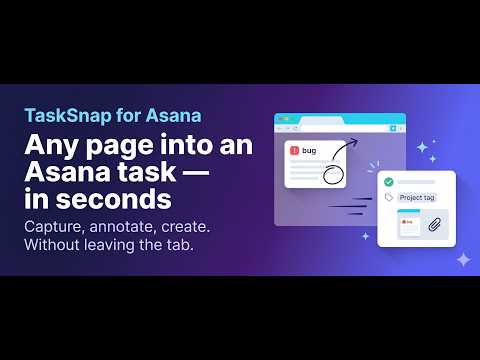
产品视频缩略图
Asana 任务管理与 Gmail 转 Asana — TaskSnap的项目媒体 2(屏幕截图)
Asana 任务管理与 Gmail 转 Asana — TaskSnap的项目媒体 3(屏幕截图)
Asana 任务管理与 Gmail 转 Asana — TaskSnap的项目媒体 4(屏幕截图)
Asana 任务管理与 Gmail 转 Asana — TaskSnap的项目媒体 5(屏幕截图)
Asana 任务管理与 Gmail 转 Asana — TaskSnap的项目媒体 6(屏幕截图)
产品视频缩略图
产品视频缩略图
Asana 任务管理与 Gmail 转 Asana — TaskSnap的项目媒体 2(屏幕截图)
Asana 任务管理与 Gmail 转 Asana — TaskSnap的项目媒体 3(屏幕截图)
Asana 任务管理与 Gmail 转 Asana — TaskSnap的项目媒体 4(屏幕截图)
Asana 任务管理与 Gmail 转 Asana — TaskSnap的项目媒体 5(屏幕截图)
Asana 任务管理与 Gmail 转 Asana — TaskSnap的项目媒体 6(屏幕截图)

概述

从任意网页或 Gmail 快速创建和编辑 Asana 任务。支持截图、自然语言日期——无需打开 Asana。

⚡ TaskSnap — 常驻浏览器的 Asana 任务管理器。在任意网页、邮件或选中文本处,几秒内创建和编辑 Asana 任务,无需打开 Asana。 你的工作离不开 Asana,但你不会一直盯着 Asana 标签页。值得记录的内容几乎总在别处——一封邮件、一个页面、一段刚看到的文字。TaskSnap 消除了这种摩擦:看到即点击,内容即任务——项目、标签和截止日期一键到位。 ━━━━━━━━━━━━━━━━━━━━━━ ⭐ 你可以做什么 ━━━━━━━━━━━━━━━━━━━━━━ • 通过弹窗、键盘快捷键或右键菜单快速添加 Asana 任务 • 创建并编辑已有 Asana 任务——修改任意字段、标记完成、重新打开、评论、在项目间移动 • 将任意邮件转为 Asana 任务(Gmail 转 Asana)——主题自动成为任务名,正文转为整洁描述,并附带跳回原邮件的链接 • 截取任意页面截图,添加标注后附加到任务 • 自然语言截止日期——输入「明天」、「下周一」或「3 天后」 • 真实 Asana 字段——项目、分区、标签、负责人、多项目及自定义字段 ━━━━━━━━━━━━━━━━━━━━━━ 📥 随处捕获 ━━━━━━━━━━━━━━━━━━━━━━ 打开弹窗,按 Cmd/Ctrl+Shift+E,或选中文字后右键。所选内容直接流入任务名称或描述,页面标题和 URL 也会一并带入。作为轻量级 Asana 网页剪辑器,内容不会丢失,也无需复制粘贴。 ━━━━━━━━━━━━━━━━━━━━━━ ✉️ Gmail 转 Asana ━━━━━━━━━━━━━━━━━━━━━━ 打开一封邮件,一步创建 Asana 任务。主题自动成为任务名,正文转为干净可读的描述(引用回复链和签名自动去除),深链接可直接跳回原邮件,附件也一并带入。已有任务?将邮件添加到已有 Asana 任务也同样简单。这就是真正好用的 Asana Gmail 集成——无需离开收件箱即可将邮件添加为 Asana 任务。 ━━━━━━━━━━━━━━━━━━━━━━ 🖼️ 截图与标注 ━━━━━━━━━━━━━━━━━━━━━━ 截取可视区域、选定区域或整页滚动截图,用箭头、方框、文字、高亮、模糊(隐藏敏感信息)及编号步骤进行标注,然后附加到新建或已有任务。带截图和页面信息的 bug 报告,一步完成。 ━━━━━━━━━━━━━━━━━━━━━━ ✏️ 真正的 Asana 任务管理器 ━━━━━━━━━━━━━━━━━━━━━━ TaskSnap 不只是捕获工具——它是直接在浏览器中进行 Asana 任务管理的利器。通过搜索、我的任务列表或最近任务找到目标任务,随后编辑任意字段、标记完成或重新打开、发表评论、添加子任务,或在项目和分区间移动。AI 任务标题(自带密钥)可将一封长邮件精炼为简洁清晰的标题。 ━━━━━━━━━━━━━━━━━━━━━━ 🔒 隐私优先设计 ━━━━━━━━━━━━━━━━━━━━━━ TaskSnap 使用最少权限——无「标签页」、无「历史记录」权限,无法读取你的浏览历史。你的草稿、私人备注、截图和 AI 密钥仅存储在你的浏览器本地,绝不发送给我们。你的 Asana 数据直接在浏览器与 Asana 之间传输。 ━━━━━━━━━━━━━━━━━━━━━━ 🧰 开箱即用 ━━━━━━━━━━━━━━━━━━━━━━ • 离线可用——任务在本地排队,恢复网络后自动发送 • 私人收件箱,保存尚未准备好发送的草稿 • 活动历史,记录所有捕获内容 • 随时导出和导入本地数据 • 启动时间不超过 300 毫秒,体积低于 2 MB ━━━━━━━━━━━━━━━━━━━━━━ 💎 免费版与 PRO 版 ━━━━━━━━━━━━━━━━━━━━━━ 免费永久使用,无需账号和信用卡:快速捕获、单项目、自然语言日期、收件箱、历史记录和离线队列。 PRO 版新增:编辑已有任务、Gmail 及整页捕获、截图标注、自定义字段、多项目、AI 标题和自动化。随时开启 7 天免费试用。 支持 Chrome 及其他 Chromium 浏览器(Edge、Brave)和 Firefox。 注:TaskSnap 是独立扩展,与 Asana 没有从属关系,不受其赞助或背书。「Asana」是其各自所有者的商标。 看到即入库——立即安装 TaskSnap。

0 星(5 星制)无评分

详细了解结果和评价。

详情

  • 版本
    1.1.1
  • 上次更新日期
    2026年10月7日
  • 功能
    提供应用内购商品
  • 大小
    497KiB
  • 语言
    53 种语言
  • 开发者
    网站
    邮箱
    info@learnfreecourses.com
  • 非交易者
    该开发者尚未将自己标识为交易者。欧盟地区消费者须知:消费者权利可能不适用于您与该开发者达成的合约。

隐私权

管理扩展程序并了解它们在组织中的使用情况

“Asana 任务管理与 Gmail 转 Asana — TaskSnap”已就收集和使用用户数据披露了以下信息。 如需了解详情,请查看开发者的privacy policy。

Asana 任务管理与 Gmail 转 Asana — TaskSnap会处理以下数据:

个人身份信息
身份验证信息
个人通讯
网站内容

该开发者已声明,您的数据:

  • 不会因未获批准的用途出售给第三方
  • 不会为实现与产品核心功能无关的目的而使用或转移
  • 不会为确定信用度或放贷目的而使用或转移

支持

若有任何疑问、建议或问题,请访问开发者的支持网站

相关

ClickUp 任务、截图与时间追踪

0.0

将任意页面或邮件变为 ClickUp 任务。截图、快速捕获、链接、文件和内置时间追踪。

Multify

0.0

Chat with Multify from any tab. Stash pages and posts, capture screenshots, and create tasks without leaving the page.

Asana2Stay

5.0

Powerful clipboard paste to any Asana task, subtask, project, description, or comment flexibly without first navigating to Asana

Quick Task for Asana

0.0

Turn selected text on any page into an Asana task with one shortcut.

Page2Task

5.0

Turn any page, email, or screenshot into a Google Task or Calendar event, with deadlines and locations detected for you.

Organizer: New Tab Task Manager & Calendar

0.0

Replace your new tab with a kanban task board, calendar sync, sticky notes, quick links and AI. Free, no account needed.

Kanban Boards in Gmail and Google Workspace

4.5

Visual Kanban for Google Tasks & Gmail: turn emails into tasks, share boards, track with due dates, tags & comments.

Smart Calendar

0.0

Create Google Calendar events from any webpage — select text or describe your event in plain English.

Save in ClickUp-Email,Screenshot,Task,Time,Schedule,Tags,Assignee,Capacity

5.0

Save to ClickUp tasks, screenshots,email,tracks time,schedule task, do capacity planning.

distretto

0.0

AI browser automation agent. Click, type, scroll & automate any webpage using natural language.

Scrnee — AI Action Capture

0.0

Capture screen content, analyze it with AI, and instantly create tasks in Google Calendar, Notion, and more.

AI Task Extractor - Page to To-Do

5.0

Extract tasks from any webpage using AI. Turn articles, meeting notes, and emails into actionable to-do items.

ClickUp 任务、截图与时间追踪

0.0

将任意页面或邮件变为 ClickUp 任务。截图、快速捕获、链接、文件和内置时间追踪。

Multify

0.0

Chat with Multify from any tab. Stash pages and posts, capture screenshots, and create tasks without leaving the page.

Asana2Stay

5.0

Powerful clipboard paste to any Asana task, subtask, project, description, or comment flexibly without first navigating to Asana

Quick Task for Asana

0.0

Turn selected text on any page into an Asana task with one shortcut.

Page2Task

5.0

Turn any page, email, or screenshot into a Google Task or Calendar event, with deadlines and locations detected for you.

Organizer: New Tab Task Manager & Calendar

0.0

Replace your new tab with a kanban task board, calendar sync, sticky notes, quick links and AI. Free, no account needed.

Kanban Boards in Gmail and Google Workspace

4.5

Visual Kanban for Google Tasks & Gmail: turn emails into tasks, share boards, track with due dates, tags & comments.

Smart Calendar

0.0

Create Google Calendar events from any webpage — select text or describe your event in plain English.

搜索
清除搜索内容
关闭搜索框
Google 应用
主菜单
