Arthur · Immersion Tracker


Overview
Arthur — Immersion and Comprehension Tracker. Two measures of progress: hours and comprehension.
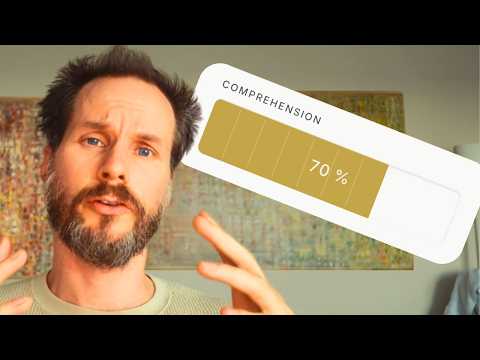
Immersion Tracker counts every minute you spend with your target language, automatically and manually. Automatic YouTube Tracking The extension tracks your YouTube watch time in the background. Set your YouTube handle once, and it counts every video you watch on that profile. Switch accounts freely, only your configured profile is tracked. Shorts can be excluded. Comprehension Tracking After saving a session: "How much did you understand?" Set 0–100% on a visual bar, or skip. Session Timer Start a focused session in one click from the toolbar icon. The timer runs in the background, no tab needs to stay open. When you stop, pick a category and optionally add a label (show title, episode, book). Manual Entry Add immersion time in 3 clicks: pick +10, +30, or +60 minutes, select a category, hit Add. Available in the popup and as a permanent form in the dashboard. Counts toward your daily total and all active challenges. Stats & Dashboard Open the full dashboard for: period tiles (Today, This Week, This Month, Since Start), bar charts, a 30-day heatmap, streak tracker, daily steps, immersion sources breakdown, top channels, top videos, and full session and video history. Challenges Set a time-bound immersion goal (e.g. 1000 hours by Easter). The dashboard shows hours completed, stages, hours remaining, days left, and hours/day needed. Data All data is stored locally in your browser. Export as TSV or JSON, import from backup, delete by video, channel, or time range. # Arthur — Release Notes --- ## v0.7.1 — 2026-06-06 A search-and-consistency release: powerful filtering and sorting in search, timer sessions now counted everywhere, and the YouTube in-page UI in your language. ### New - **Filter your search** — Open search and narrow results by comprehension range, period, immersion hours, source (YouTube / Video / Audio / Text / …), whether comprehension is set, and progress (improved · due for re-watch). Filters work on their own, too — no search term required. - **Sort your search** — Sort results by most recent, comprehension, immersion time, name, or number of viewings. Each criterion remembers its own direction, saved across sessions. - **A nod to Arthur** — Clicking *Arthur* in the dashboard footer opens a small homage to Arthur Schopenhauer, theme-adaptive and bilingual. ### Changed & Fixed - **Timer sessions now count everywhere** — Stopwatch sessions are now included in all immersion totals: today/week/month tiles, streak, deltas, the heatmap, best day, the source breakdown, and challenge progress. They were previously missing from several of these. - **YouTube UI follows your language** — The in-page comprehension prompt and labels now respect your German / English setting (they were always German before). - **Clearer terminology** — History tabs are now **YouTube** and **Sessions** (were "Videos" / "Stopwatch"); individual YouTube watches are **Viewings**, numbered oldest-first. - **Search shows YouTube first**, then Manual & Sessions. - **Settings** — "Default popup tab" is now "Side panel tab"; the Data tab is tidier and delete-by-range now supports date + time. - **Re-watch detection scales with length** — The "jump to start = new viewing" threshold is now length-dependent (3.3 % of the video, min 30 s) instead of a fixed value. - Smaller fixes: filter pop-ups now close on any outside click; comprehension display fix after a reload. --- ## v0.7.0 — 2026-05-28 The biggest release so far — a full rebrand and redesign. The extension is now **Arthur**, the popup becomes a persistent side panel, the dashboard is rebuilt from the ground up, and challenges, keyboard shortcuts and a passive mode arrive. ### New - **Meet Arthur** — The extension is now named *Arthur · Immersion Tracker*, with a refreshed logo and identity. - **Side panel replaces the popup** — Clicking the toolbar icon opens a persistent side panel (Session · Manual · Stats) that stays visible next to YouTube. A stopwatch for offline immersion (books, audio, TV), manual entries, and your live stats — all in one place. Smooth transitions, inline title autocomplete, full-screen save confirmation. - **Rebuilt dashboard** — A completely new dashboard: today/week/month tiles with apple-to-apple comparisons, a stacked monthly bar chart with a 7-day trend line, channel donuts (all-time + last 7 days), a comprehension distribution band, a comprehension-progress section, records, and a 4-week heatmap. - **Challenges with stages** — Set an hour goal with a deadline and split it into stages (equal, rising, falling, or custom distribution). Dashboard and side panel show overall progress plus stage transitions on the bar. - **Action buttons in the header** — Manual entry, Search, Settings, and a light/dark toggle now sit as compact icon buttons at the top of the dashboard, instead of being mixed into the body. - **Keyboard shortcuts** — `Alt+Shift+A` (Mac: `Option+Shift+A`) opens/closes the side panel, `Alt+Shift+D` opens the dashboard. A for Arthur, D for Dashboard. View and rebind them in Settings → Display. - **Passive mode for other accounts** — Switch to a YouTube account that isn't your tracked one and the Arthur button greys out, the comprehension prompt is disabled — a clear signal that nothing is tracked or recorded. The YouTube page itself stays untouched. - **"Since immersion start" tile** — Days since you began, average per day, and your start date. - **Bring your history in (guided onboarding)** — A step-by-step setup, plus an optional AI import so you don't start from zero: copy a prompt, run it in any AI chat (ChatGPT, Claude, Gemini), describe or paste your past immersion (a spreadsheet, notes, or just estimates), and paste the result back. The tracker fills in the daily detail itself — real logs stay exact, estimates are clearly marked. ### Changed - **Coherent comparison logic** — "This week" and "this month" compare the same way in the dashboard and the side panel (average per elapsed day vs. last week's / last month's average). - **Smarter streaks** — A day counts toward your streak once you reach 20 % of your daily goal *today*. Past days you already earned stay earned, even if you later raise your goal — your streak is history, not recalculated. Today counts forward as long as yesterday was active, with a "X min until streak locked" hint. - **Today, reimagined** — Instead of an "vs. yesterday at this time" comparison, the Today tile now shows how much is left to your daily goal ("X to go" → "Goal reached ✓" → "+X over goal") — a forward nudge, not a comparison. - **Live-ticking dashboard** — Today / This week / This month and the top cards now tick up while you watch, instead of freezing until reload. Charts stay put; only the numbers move. - **Richer hovers** — A unified hover format across dashboard and side panel: each tile shows the average per day, comparison, active days, your top day, and average comprehension. Bilingual DE/EN. - **Active challenge precision** — Percentage shows two decimals, hours one decimal — no rounding to flat numbers. - **Consistent chart colors** — Bar chart, both donut sections, and legends now share one theme-aware palette, with softened opacity. - **Local fonts** — Fonts are now bundled, so the dashboard opens instantly, works offline, and makes no external request. ### Fixed - **Passive mode** — On a non-tracked YouTube account the Arthur button now correctly greys out and the live dot stops pulsing (it previously kept pulsing as if tracking). - **Active challenge "required per day"** in the side panel now matches the dashboard (it was computed against the stage instead of the whole challenge). - Tooltip width clipping long text; action-button tooltips after a click; comprehension-progress double divider line; heatmap hover sizing. --- ## v0.5.0 — 2026-05-15 ### New - **Comprehension Progress section** — A new dashboard section (between Top Videos and Video History) that surfaces content you rewatched *and* understood better over time. An entry appears only when it was logged 2+ times with a comprehension score and the score rose (latest higher than first). Sources are mixed: YouTube videos, manual entries, and sessions. Sorted by improvement, then by efficiency (same gain in less time ranks higher). Each row shows the time span from first to last scored viewing, total time, replay count, and a `40 % → 80 % +40` improvement chip — and expands to the individual viewings. ### New - **Comprehension prompt timing** — You can now choose *when* the YouTube comprehension prompt appears: **midway** through a video (after half your real watch time, capped at 10 minutes — the video pauses for the prompt and resumes after you save) or **at the end**. Set it in the reworked "Comprehension prompt" settings card, which now also holds the manual-entry ask frequency in one place. ### Changed - **Default settings** — Comprehension tracking is now on by default; the popup opens on the Stats tab. - **Daily-goal threshold dots** — The five dots now sit at even steps (20 / 40 / 60 / 80 / 100 % of the daily goal). Beat your goal by 10 % or more and the whole row quietly starts to glow, with a line showing how far over you are — a small hidden reward for going past the goal. - **Comprehension auto-prompt position** — The "how much did you understand?" prompt now appears as a card centered over the video player with a dimmed backdrop, instead of a banner at the bottom edge of the page. It is injected into the player container, so it is also visible in theater and fullscreen mode. The 60-second auto-dismiss was removed — it stays until you answer or skip. - **Auto-prompt trigger simplified** — The prompt now appears only when a video finishes, not when you switch away from the tab. The tab-switch trigger built the prompt while the tab was hidden, so it was invisible exactly when it mattered and intrusive when you returned to keep watching. For videos you do not finish, log comprehension manually via the action-bar button. --- ## Earlier releases — v0.3.0 to v0.4.7 (May 2026) The foundation laid before v0.5: per-viewing tracking, the in-page YouTube button, search, sortable history, and the first themes. - **Per-viewing tracking & YouTube button** — Each watch became its own viewing (timestamp, duration, comprehension). An action-bar pill showed how often you'd watched a video (×N) and opened a dropdown to log comprehension, with auto-prompt on video end, a 30-second minimum, automatic replay detection, and the running viewing marked "(jetzt)". - **Comprehension per viewing** — Scores stored per individual viewing (0–100, 10-step slider), with last-value hints and "+X % improvement" confirmations. - **Global search** — Search all videos (by title or channel), manual entries, and sessions; expand a video to see every viewing with date, time, duration, and comprehension. - **Sortable history** — Click any column in Video / Sessions history to sort the full database, with the active column highlighted in gold. - **Name autocomplete** — Inline, address-bar-style completion across all name fields (Tab to accept). - **6 colour themes** — Navy Gold, Parchment, Mist, Ember, Overcast, and Deep Water, selectable in Settings. - **Feedback link** + many stability fixes: reliable button injection (theater/layout changes), correct channel-name detection, live tracking without a reload, and a stable pill row on narrow windows.
0 out of 5No ratings
Details
- Version0.7.1
- UpdatedJune 10, 2026
- Size5.58MiB
- LanguagesEnglish
- Developer
Email
gerhardgeising@gmail.com - Non-traderThis developer has not identified itself as a trader. For consumers in the European Union, please note that consumer rights do not apply to contracts between you and this developer.
Privacy

This developer declares that your data is
- Not being sold to third parties, outside of the approved use cases
- Not being used or transferred for purposes that are unrelated to the item's core functionality
- Not being used or transferred to determine creditworthiness or for lending purposes
Support
For help with questions, suggestions, or problems, visit the developer's support site