


개요
Archive webpage with Archive Today
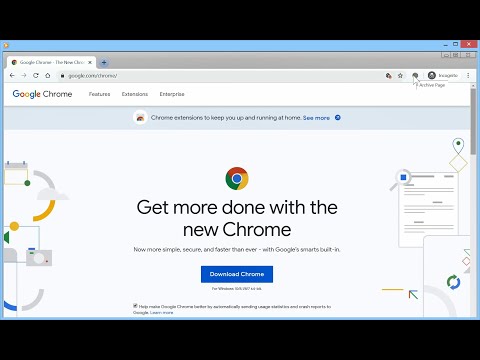
Adds a button to the Chrome toolbar. When clicked, it sends the URL of the current tab to Archive Today to preserve a snapshot of the page, and opens the result in a new tab. NEW: Direct action Shortcuts (with optional Tabs permission) NEW: Customizable Toolbar Button Choose your preferred action for the toolbar icon: • Dropdown Menu: Quick access to Search, Archive, and Options. • Direct Search: Instantly search the current page URL. • Direct Archive: Instantly archive the current page. Features: • Archive Today Integration: Sends the current tab URL to Archive Today to preserve a snapshot and opens the result in a new tab. • Context Menus: Includes Link context menu to Archive or Search, and a Page context menu to Search. • Customizable Behavior: Options to control if the new tab opens adjacent to the current tab, at the end of the tab strip, or replaces the current tab (archive only). • Tab Activation: Control whether new Archive or Search tabs are activated immediately. • HTTPS Security: Uses HTTPS for all archival and search transmissions. • Keyboard Shortcuts: A custom shortcut can be created to archive the current page instantly. (Archive Today is a time capsule for web pages. It takes a 'snapshot' of a webpage that will always be online even if the original page disappears. It saves a text and a graphical copy of the page for better accuracy and provides a short and reliable link to an unalterable record of the web page.) Consent: By using this extension, you consent to sharing your Archive or Search URL with Archive Today when initiated by you. This extension does not otherwise collect or share any user data. Notes: 1. If you get an error, try again later. It's NOT an extension issue—Archive Today sometimes gets overwhelmed. 2. CloudFlare DNS may not resolve Archive Today; if you experience DNS errors, try a different DNS server (e.g., Quad9). 3. For similar functionality on Android, check out Share2Archive in the Play Store. What's New in 1.5.0: * Direct action Shortcuts (with optional Tabs permission) * Squash some small bugs. What's New in 1.4.9: * Fix activation options. What's New in 1.4.8: * Show Welcome screen only for significant extension releases. What's New in 1.4.7: * Removed redundant optional update notification * Bug fix What's New in 1.4.6: * Change in permissions to avoid silent disabling. What's New in 1.4.5: * Change in permissions to avoid silent disabling. • New Welcome Experience: Dedicated onboarding page for new features and privacy settings. • Customizable Toolbar Actions: Toggle between Dropdown menu, Search-only, or Archive-only modes. • Streamlined Context Menus: Removed redundant right-click items for a cleaner interface. • Auto-Save Options: Settings now save immediately upon change; the "Save" button is now "Close". • Fixed Extension Removal: Restored "Remove" button functionality in Options and Welcome pages. Disclaimers: • Use at your own risk. No liability is accepted for any loss or damage. • This extension is not affiliated with Archive Today. • Trademarks are the properties of their respective owners.
5점 만점에 4.2점평점 140개
세부정보
- 버전1.5.0
- 업데이트됨2026년 1월 28일
- 제공John Navas
- 크기63.77KiB
- 언어English (United States)
- 개발자
이메일
jn2@navasgroup.com - 비판매자판매자로 식별되지 않은 개발자입니다. 유럽 연합에 거주하는 소비자의 경우, 이 개발자와 체결한 계약에 대해서는 소비자 권리가 적용되지 않을 수 있음을 유의해야 합니다.
개인정보 보호

개발자가 사용자 데이터에 관해 다음과 같이 선언했습니다
- 승인된 사용 사례를 제외하고 서드 파티에 판매하지 않음
- 항목의 핵심 기능과 관련 없는 목적으로 사용하거나 전송하지 않음
- 신용도 판단 또는 대출 목적으로 사용하거나 전송하지 않음
지원
질문, 제안 또는 문제와 관련하여 도움이 필요하시면 개발자의 지원 사이트를 방문하세요.