


Übersicht
Archive webpage with Archive Today
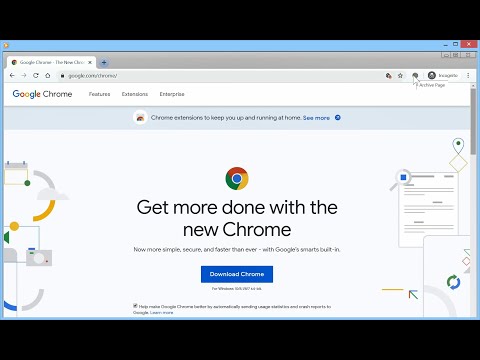
Adds a button to the Chrome toolbar. When clicked, it sends the URL of the current tab to Archive Today to preserve a snapshot of the page, and opens the result in a new tab. NEW: Direct action Shortcuts (with optional Tabs permission) NEW: Customizable Toolbar Button Choose your preferred action for the toolbar icon: • Dropdown Menu: Quick access to Search, Archive, and Options. • Direct Search: Instantly search the current page URL. • Direct Archive: Instantly archive the current page. Features: • Archive Today Integration: Sends the current tab URL to Archive Today to preserve a snapshot and opens the result in a new tab. • Context Menus: Includes Link context menu to Archive or Search, and a Page context menu to Search. • Customizable Behavior: Options to control if the new tab opens adjacent to the current tab, at the end of the tab strip, or replaces the current tab (archive only). • Tab Activation: Control whether new Archive or Search tabs are activated immediately. • HTTPS Security: Uses HTTPS for all archival and search transmissions. • Keyboard Shortcuts: A custom shortcut can be created to archive the current page instantly. (Archive Today is a time capsule for web pages. It takes a 'snapshot' of a webpage that will always be online even if the original page disappears. It saves a text and a graphical copy of the page for better accuracy and provides a short and reliable link to an unalterable record of the web page.) Consent: By using this extension, you consent to sharing your Archive or Search URL with Archive Today when initiated by you. This extension does not otherwise collect or share any user data. Notes: 1. If you get an error, try again later. It's NOT an extension issue—Archive Today sometimes gets overwhelmed. 2. CloudFlare DNS may not resolve Archive Today; if you experience DNS errors, try a different DNS server (e.g., Quad9). 3. For similar functionality on Android, check out Share2Archive in the Play Store. What's New in 1.5.0: * Direct action Shortcuts (with optional Tabs permission) * Squash some small bugs. What's New in 1.4.9: * Fix activation options. What's New in 1.4.8: * Show Welcome screen only for significant extension releases. What's New in 1.4.7: * Removed redundant optional update notification * Bug fix What's New in 1.4.6: * Change in permissions to avoid silent disabling. What's New in 1.4.5: * Change in permissions to avoid silent disabling. • New Welcome Experience: Dedicated onboarding page for new features and privacy settings. • Customizable Toolbar Actions: Toggle between Dropdown menu, Search-only, or Archive-only modes. • Streamlined Context Menus: Removed redundant right-click items for a cleaner interface. • Auto-Save Options: Settings now save immediately upon change; the "Save" button is now "Close". • Fixed Extension Removal: Restored "Remove" button functionality in Options and Welcome pages. Disclaimers: • Use at your own risk. No liability is accepted for any loss or damage. • This extension is not affiliated with Archive Today. • Trademarks are the properties of their respective owners.
4,2 von 5140 Bewertungen
Details
- Version1.5.0
- Aktualisiert28. Januar 2026
- Angeboten vonJohn Navas
- Größe63.77KiB
- SprachenEnglish (United States)
- Entwickler
E-Mail
jn2@navasgroup.com - Kein HändlerDieser Entwickler hat sich nicht als Händler deklariert. Für Verbraucher in der Europäischen Union gelten die Verbraucherrechte nicht für Verträge, die zwischen dir und diesem Entwickler geschlossen werden.
Datenschutz

Dieser Entwickler erklärt, dass deine Daten
- nicht an Dritte verkauft werden, außer in den genehmigten Anwendungsfällen
- nicht für Zwecke genutzt oder übertragen werden, die nichts mit der Hauptfunktionalität des Artikels zu tun haben
- nicht zur Ermittlung der Kreditwürdigkeit oder für Darlehenszwecke verwendet oder übertragen werden
Support
Wenn du Probleme, Fragen oder Vorschläge hast, rufe die Supportwebsite des Entwicklers auf