


總覽
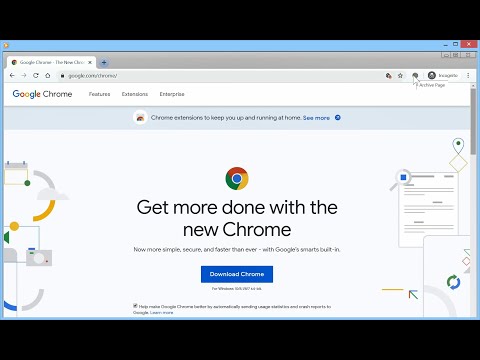
Archive webpage with Archive Today
Adds a button to the Chrome toolbar. When clicked, it sends the URL of the current tab to Archive Today to preserve a snapshot of the page, and opens the result in a new tab. NEW: Direct action Shortcuts (with optional Tabs permission) NEW: Customizable Toolbar Button Choose your preferred action for the toolbar icon: • Dropdown Menu: Quick access to Search, Archive, and Options. • Direct Search: Instantly search the current page URL. • Direct Archive: Instantly archive the current page. Features: • Archive Today Integration: Sends the current tab URL to Archive Today to preserve a snapshot and opens the result in a new tab. • Context Menus: Includes Link context menu to Archive or Search, and a Page context menu to Search. • Customizable Behavior: Options to control if the new tab opens adjacent to the current tab, at the end of the tab strip, or replaces the current tab (archive only). • Tab Activation: Control whether new Archive or Search tabs are activated immediately. • HTTPS Security: Uses HTTPS for all archival and search transmissions. • Keyboard Shortcuts: A custom shortcut can be created to archive the current page instantly. (Archive Today is a time capsule for web pages. It takes a 'snapshot' of a webpage that will always be online even if the original page disappears. It saves a text and a graphical copy of the page for better accuracy and provides a short and reliable link to an unalterable record of the web page.) Consent: By using this extension, you consent to sharing your Archive or Search URL with Archive Today when initiated by you. This extension does not otherwise collect or share any user data. Notes: 1. If you get an error, try again later. It's NOT an extension issue—Archive Today sometimes gets overwhelmed. 2. CloudFlare DNS may not resolve Archive Today; if you experience DNS errors, try a different DNS server (e.g., Quad9). 3. For similar functionality on Android, check out Share2Archive in the Play Store. What's New in 1.6.1: * Verify limited permissions update. What's New in 1.6.0: * Restore more limited permissions! What's New in 1.5.1: * Fix Activate Option * Fix Startup Options What's New in 1.5.0: * Direct action Shortcuts (with optional Tabs permission) * Squash some small bugs. What's New in 1.4.9: * Fix activation options. What's New in 1.4.8: * Show Welcome screen only for significant extension releases. What's New in 1.4.7: * Removed redundant optional update notification * Bug fix What's New in 1.4.6: * Change in permissions to avoid silent disabling. What's New in 1.4.5: * Change in permissions to avoid silent disabling. • New Welcome Experience: Dedicated onboarding page for new features and privacy settings. • Customizable Toolbar Actions: Toggle between Dropdown menu, Search-only, or Archive-only modes. • Streamlined Context Menus: Removed redundant right-click items for a cleaner interface. • Auto-Save Options: Settings now save immediately upon change; the "Save" button is now "Close". • Fixed Extension Removal: Restored "Remove" button functionality in Options and Welcome pages. Disclaimers: • Use at your own risk. No liability is accepted for any loss or damage. • This extension is not affiliated with Archive Today. • Trademarks are the properties of their respective owners.
4.2 分 (滿分 5 分)143 個評分
詳細資料
- 版本1.6.1
- 已更新2026年4月21日
- 提供者John Navas
- 大小61.88KiB
- 語言English (United States)
- 開發人員
電子郵件
jn2@navasgroup.com - 非交易商這位開發人員並未表明自己是交易商。歐盟地區的消費者請注意,消費者權利不適用於你和這位開發人員之間簽訂的合約。
隱私權

這位開發者就你的資料做出下列聲明:
- 除經核准的用途外,不會將你的資料販售給第三方
- 不會基於與商品核心功能無關的目的,使用或轉移資料
- 不會為了確認信用度或基於貸款目的,使用或轉移資料
支援
如有疑問或建議,請前往開發人員的支援網站