

AppShots

Overview
AppShots - App screenshots and icon inspiration gallery
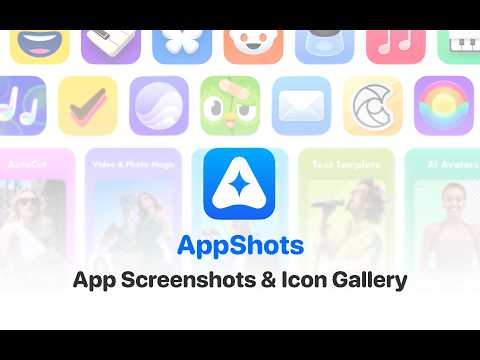
AppShots - App screenshots and icon inspiration gallery Browse, copy, and download high-resolution iOS App Store screenshots, and explore related apps through an interactive mind map. Your ultimate UI/UX design inspiration gallery in one click! KEY FEATURES • High-Res Screenshot Gallery Click the floating "Screenshot Gallery" button in the bottom-right corner of any App Store page. AppShots instantly pulls high-resolution 6.5" iPhone screenshots for the current app. • Discover More Inspiration Browse screenshots from "You Might Like" recommendations, other apps by the same developer, and Top Charts in the same category — all without leaving the page. • Copy Screenshots in One Click Merge all screenshots from any app into a single wide PNG and copy it straight to your clipboard. Paste directly into Figma, Sketch, or any design tool. • App Icon Inspiration Graph Click on any app icon to smoothly branch out and discover its related recommended apps. WHO IT'S FOR • UI / UX Designers — Build moodboards and analyze App Store screenshot design trends. • App Developers & Marketers — Research competitor ASO strategies and store listing presentations. HOW TO USE Screenshot Gallery: 1. Open any App Store app detail page 2. Click the "Screenshot Gallery" button in the bottom-right corner 3. Browse the screenshot gallery 4. Copy the screenshots you want Icon Inspiration Graph: 1. Open any App Store app detail page 2. Click the "Inspiration Graph" icon in the bottom-right corner 3. Click the play button to start the inspiration explosion mode 4. Click the app icon to manually expand related icons 5. Hold Ctrl and click the app icon to view app details
0 out of 5No ratings
Details
- Version1.4.0
- UpdatedJune 12, 2026
- Size129KiB
- LanguagesEnglish
- Developer
Email
xinbo199610@gmail.com - Non-traderThis developer has not identified itself as a trader. For consumers in the European Union, please note that consumer rights do not apply to contracts between you and this developer.
Privacy

This developer declares that your data is
- Not being sold to third parties, outside of the approved use cases
- Not being used or transferred for purposes that are unrelated to the item's core functionality
- Not being used or transferred to determine creditworthiness or for lending purposes