


개요
Applitools plugin for Selenium IDE
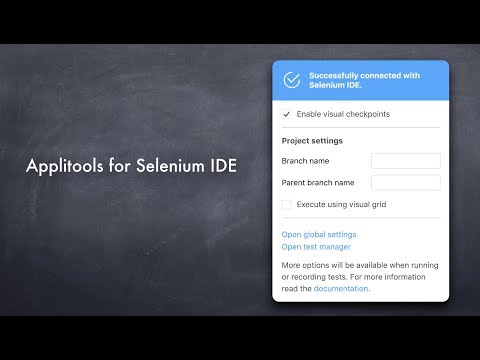
Applitools for Selenium IDE is a lightweight plugin that works with the Selenium IDE Chrome Extension. Why should you use it? Have you ever released a version of your website or app with a visual bug? Messed up CSS so that things are out of whack? Of course. We all have. (It’s ok!) So how can this help? Applitools for Selenium IDE, or SIDE Eyes for short, lets you incorporate visual UI testing into your Selenium IDE automated test scripts. (If you’re not familiar with Selenium IDE, head over to https://www.seleniumhq.org/selenium-ide/) How does it work? SIDE Eyes lets you insert visual checkpoints into your Selenium IDE script. The first time you run one of these checkpoints, it grabs a baseline screenshot of whatever web page Selenium IDE is on. Every subsequent time you run one of those checkpoints, SIDE Eyes grabs a new screenshot, then sends it off to Applitools’ find any visual differences. On the Applitools website, you can see all your screenshots and all their visual differences. Even better, we render your web page on a bunch of different browser viewport sizes, on both Chrome and Firefox, using our Visual Grid (https://applitools.com/visualgrid). This lets you find bugs in responsive web pages more easily. For each visual bug we find, we show you the handful of CSS or DOM lines that most likely caused the bug, using our Root Cause Analysis feature (https://applitools.com/rca). This can save you HOURS of debugging time. Is this just pixel comparison? Not at all. We use a Visual AI engine to find only differences that the human eye will detect. That means no more annoying off-by-a-pixel false alarms to waste your time. Want to learn more? Check out our tutorial https://applitools.com/tutorials/selenium-ide.html
5점 만점에 4.3점평점 10개
세부정보
개인정보 보호
개발자가 사용자 데이터에 관해 다음과 같이 선언했습니다
- 승인된 사용 사례를 제외하고 서드 파티에 판매하지 않음
- 항목의 핵심 기능과 관련 없는 목적으로 사용하거나 전송하지 않음
- 신용도 판단 또는 대출 목적으로 사용하거나 전송하지 않음
지원
질문, 제안 또는 문제와 관련하여 도움이 필요하시면 개발자의 지원 사이트를 방문하세요.