


概要
Applitools plugin for Selenium IDE
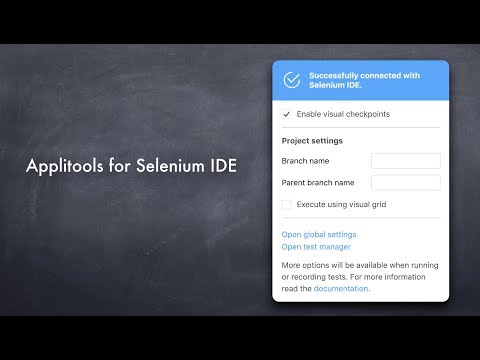
Applitools for Selenium IDE is a lightweight plugin that works with the Selenium IDE Chrome Extension. Why should you use it? Have you ever released a version of your website or app with a visual bug? Messed up CSS so that things are out of whack? Of course. We all have. (It’s ok!) So how can this help? Applitools for Selenium IDE, or SIDE Eyes for short, lets you incorporate visual UI testing into your Selenium IDE automated test scripts. (If you’re not familiar with Selenium IDE, head over to https://www.seleniumhq.org/selenium-ide/) How does it work? SIDE Eyes lets you insert visual checkpoints into your Selenium IDE script. The first time you run one of these checkpoints, it grabs a baseline screenshot of whatever web page Selenium IDE is on. Every subsequent time you run one of those checkpoints, SIDE Eyes grabs a new screenshot, then sends it off to Applitools’ find any visual differences. On the Applitools website, you can see all your screenshots and all their visual differences. Even better, we render your web page on a bunch of different browser viewport sizes, on both Chrome and Firefox, using our Visual Grid (https://applitools.com/visualgrid). This lets you find bugs in responsive web pages more easily. For each visual bug we find, we show you the handful of CSS or DOM lines that most likely caused the bug, using our Root Cause Analysis feature (https://applitools.com/rca). This can save you HOURS of debugging time. Is this just pixel comparison? Not at all. We use a Visual AI engine to find only differences that the human eye will detect. That means no more annoying off-by-a-pixel false alarms to waste your time. Want to learn more? Check out our tutorial https://applitools.com/tutorials/selenium-ide.html
5 点満点で 4.310 件の評価
詳細
プライバシー
このデベロッパーは、お客様のデータについて以下を宣言しています
- 承認されている以外の用途で第三者に販売しないこと
- アイテムの中心機能と関係のない目的で使用または転送しないこと
- 信用力を判断する目的または融資目的で使用または転送しないこと
サポート
質問や提案、問題がある場合は、デベロッパーのサポートサイトにアクセスしてください。