


Overview
Save any page in one click, highlight as you read, and search it all with AI.
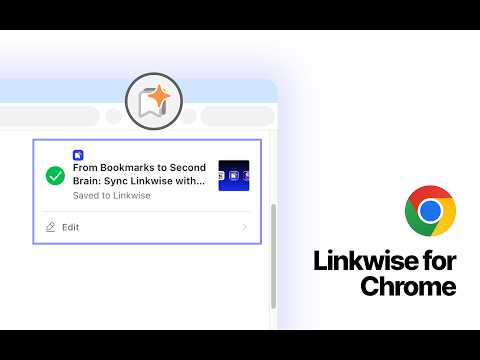
Linkwise is an AI bookmark manager, web highlighter and read-later app in a single Chrome extension. Save any page in one click, highlight the parts that matter, ask AI about what you saved, and find all of it again months later - from your address bar, or right beside your Google results. Most bookmark managers are where links go to be forgotten. Linkwise saves the page, keeps your highlights and notes attached to it, and makes every bit of it searchable. SAVE ANY PAGE IN ONE CLICK • Click the toolbar icon, or press Ctrl+Shift+S (⌘⇧S on Mac), to bookmark the page you're on • Right-click any page, link or image to save it without leaving what you're reading • Turn on automatic saving and one click files the page, with no dialog at all • A checkmark on the icon tells you at a glance that a page is already bookmarked • Forward a newsletter to your own @inbox.linkwise.app address and it lands in your library as a saved link (Pro) HIGHLIGHT AND ANNOTATE AS YOU READ • Select text on any web page and a small toolbar appears, with five highlight colours • Attach a note to any highlight to record why it mattered • Highlighting saves the page too, so you never have to do both • Come back weeks later and your highlights and annotations are still on the page SEARCH YOUR BOOKMARKS WITHOUT OPENING ANYTHING • Type lw and a space in Chrome's address bar to search your whole bookmark library • Filters you can simply type: tag:, collection:, site:, type:, in:, sort: • Narrow by state: is:unread, is:untagged, is:pinned, is:archived, has:notes • Narrow by date: created:today, created:week, created:2026-01-01..2026-03-01 • Exclude words with a minus, quote "exact phrases", or search by meaning instead of exact keyword YOUR SAVED PAGES, BESIDE YOUR WEB SEARCH • Search on Google, Bing, DuckDuckGo or Baidu as usual • Bookmarks from your library that match your query appear next to the results • The article you already read and forgot about resurfaces exactly when you need it • Switch it off in Settings whenever you like ASK AI ABOUT ANYTHING YOU'VE SAVED • Ask about the page you're reading, about a whole collection, or across your entire library • Answers cite the bookmarks they came from, so you can go straight to the source • Ask for a quiz and take it, ask for flashcards and flip the deck, ask for a mind map and explore it, ask for a report and get a PDF • Every saved page can give you a short AI summary and the questions it actually answers - for the moment you can't remember why you saved it • Search your past conversations with in:conversation - half-remembering an answer is enough to find it again • Choose the language your AI answers are written in • Ask AI - about a page, a collection or your whole library - is part of the Pro + AI plan READ AND ASK, SIDE BY SIDE • Press Ctrl+Shift+L (⌘⇧L on Mac) and Linkwise opens beside the page instead of over it • It stays put as you browse and click through, so you can read an article and ask about it at the same time • Or keep the compact clipper, or the full mini app, in your toolbar - your choice ORGANIZE THE WAY YOU THINK • Collections and tags, with tag suggestions drawn from your own history • Select many bookmarks at once to move, tag, archive, pin or delete them • Smart views for what you haven't read yet and what you never filed • Built to clear the tabs you keep open because you're afraid of losing them IMPORT, EXPORT AND SYNC EVERYWHERE • Import your existing bookmarks from Chrome, Safari, Firefox and Edge • Import HTML exports from Pocket, Raindrop and any other read-later app that produces them • Export your entire library any time - your data stays yours • Send saves on to Notion or Obsidian • Linkwise for iPhone and iPad keeps the same library in your pocket WHO LINKWISE IS FOR • Researchers and students collecting sources, quotes and citations across dozens of tabs • Writers and creators building a personal knowledge base or second brain • Developers saving documentation, blog posts and answers they'll need again • Anyone whose read-later list has quietly become a graveyard MAKE IT YOURS • Four themes and three text sizes • Available in English, German, Spanish, French, Hindi, Japanese, Korean and Simplified Chinese • A guided welcome tour walks you through the features and switches on the ones you want as you go - replay it any time from Settings • Sign in with Google or Apple, or pair the Linkwise app you already have PRIVACY Your saved links and highlights are yours. We don't sell your data and we don't track your browsing. Read the full policy: https://linkwise.app/privacy Linkwise is free to use. Pro lifts the limits; Pro + AI adds chat, insights and search by meaning.
5 out of 51 rating
Details
- Version1.0.6
- UpdatedSeptember 28, 2026
- FeaturesOffers in-app purchases
- Size1.4MiB
- Languages8 languages
- DeveloperDheeraj Kumar SharmaWebsite
Shiv niwas airport road shiv nagar tutu Shimla, Himachal Pradesh 171011 INEmail
support@linkwise.app - Non-traderThis developer has not identified itself as a trader. For consumers in the European Union, please note that consumer rights do not apply to contracts between you and this developer.
Privacy

Linkwise - AI Bookmark Manager has disclosed the following information regarding the collection and usage of your data. More detailed information can be found in the developer's privacy policy.
Linkwise - AI Bookmark Manager handles the following:
This developer declares that your data is
- Not being sold to third parties, outside of the approved use cases
- Not being used or transferred for purposes that are unrelated to the item's core functionality
- Not being used or transferred to determine creditworthiness or for lending purposes
Support
For help with questions, suggestions, or problems, please open this page on your desktop browser