

概述
Debug Salesforce apex code with ease
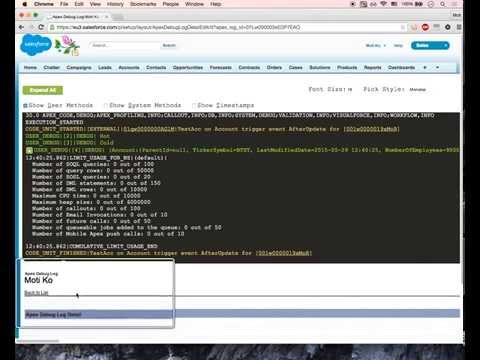
Apex debugging with ease. Improved debug logs for Salesforce. Press Shift+d from any salesforce page to open Logs. Click on extension to configure keyboard shortcuts. IMPORTANT! If your org has "Require HttpOnly attribute" option enabled (in Setup -> Security -> SessionSettings) you need to set session ID variable manually. For this click on the extension icon and fill in the last field. Disabling ""Require HttpOnly attribute" adds security risk and should not be done in production orgs. IMPORTANT2! Manifest 3 support from version 0.8. I do expect some bugs. Please report in GitHub. • Search in logs • Filter logs • Delete all logs • Add current User • Indent structured data such as sObject, List, XML or JSON • Improved view with custom themes • Any Id in logs is a link to respective Object page (Class, Trigger, Validation Rule e.t.c) • Lightning compatible PS If you want to report an issue please use GitHub issues (https://github.com/motiko/sfdc-debug-logs/issues). Or contact me by email. I don't see notifications from Chrome Web Store reviews.
4.2 星(5 星制)33 个评分
详情
隐私权

该开发者已声明,您的数据:
- 不会因未获批准的用途出售给第三方
- 不会为实现与产品核心功能无关的目的而使用或转移
- 不会为确定信用度或放贷目的而使用或转移
支持
若有任何疑问、建议或问题,请在桌面浏览器中打开此页面