

概要
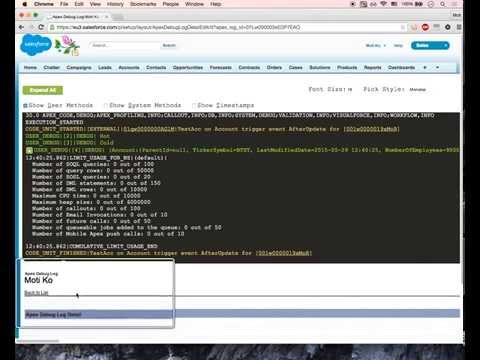
Debug Salesforce apex code with ease
Apex debugging with ease. Improved debug logs for Salesforce. Press Shift+d from any salesforce page to open Logs. Click on extension to configure keyboard shortcuts. IMPORTANT! If your org has "Require HttpOnly attribute" option enabled (in Setup -> Security -> SessionSettings) you need to set session ID variable manually. For this click on the extension icon and fill in the last field. Disabling ""Require HttpOnly attribute" adds security risk and should not be done in production orgs. IMPORTANT2! Manifest 3 support from version 0.8. I do expect some bugs. Please report in GitHub. • Search in logs • Filter logs • Delete all logs • Add current User • Indent structured data such as sObject, List, XML or JSON • Improved view with custom themes • Any Id in logs is a link to respective Object page (Class, Trigger, Validation Rule e.t.c) • Lightning compatible PS If you want to report an issue please use GitHub issues (https://github.com/motiko/sfdc-debug-logs/issues). Or contact me by email. I don't see notifications from Chrome Web Store reviews.
5 点満点で 4.233 件の評価
詳細
プライバシー
このデベロッパーは、お客様のデータについて以下を宣言しています
- 承認されている以外の用途で第三者に販売しないこと
- アイテムの中心機能と関係のない目的で使用または転送しないこと
- 信用力を判断する目的または融資目的で使用または転送しないこと
サポート
質問や提案、問題がある場合は、パソコンのブラウザでこのページを開いてください