


Overview
Connect a compatible Android device by USB to manage its content, view the screen and control it from Chrome.
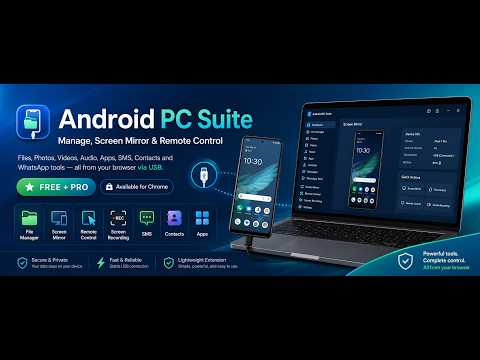
APC Suite helps you access and manage an Android™ smartphone or tablet directly from your computer using Chrome and a USB connection. After enabling USB debugging and authorizing the computer, you can browse supported content on the connected device through a clear, desktop-style interface. With APC Suite you can: • Browse, download, upload, move, rename and delete files • View and organize photos, videos and audio files • Create folders, photo albums and music playlists • Preview compatible photos, videos and audio before downloading them • View installed applications and export individual APK files • Install or uninstall applications • View and manage contacts • Read and export SMS conversations • Send SMS messages from the connected device • View the call log when access is allowed by the device • Browse accessible WhatsApp media and documents • Identify large files and free up storage space • Mirror the device screen on the computer • Take screenshots and record the screen • Control the connected device with the mouse and keyboard DIRECT USB CONNECTION APC Suite communicates directly with the authorized device through USB and Android Debug Bridge technology. The device must remain unlocked during the initial connection, and USB debugging must be enabled in Android Developer Options. A built-in guide explains how to activate it. LOCAL DATA PROCESSING Photos, videos, messages, contacts and other personal device content are processed locally between the connected device, Chrome and your computer. This content is not automatically uploaded to APC Suite servers. FREE AND PRO FEATURES The free version provides access to the main device-management tools, with reasonable limits on selected batch operations and trial time for screen mirroring and remote control. The PRO version removes these limits and enables unrestricted use of supported premium features. COMPATIBILITY Available features may vary depending on the device manufacturer, Android version, browser, USB connection and permissions allowed by the operating system. Some devices may restrict access to protected information such as call history. Certain applications may also prevent screen or audio capture. SUPPORTED LANGUAGES English, Italian, Spanish and Portuguese. Official website: https://androidpcsuite.com Android is a trademark of Google LLC.
5 out of 51 rating
Details
- Version0.20.0
- UpdatedAugust 2, 2026
- FeaturesOffers in-app purchases
- Size203KiB
- Languages9 languages
- DeveloperWebsite
Email
tuttoemailsoft@gmail.com - Non-traderThis developer has not identified itself as a trader. For consumers in the European Union, please note that consumer rights do not apply to contracts between you and this developer.
Privacy

This developer declares that your data is
- Not being sold to third parties, outside of the approved use cases
- Not being used or transferred for purposes that are unrelated to the item's core functionality
- Not being used or transferred to determine creditworthiness or for lending purposes
Support
For help with questions, suggestions, or problems, please open this page on your desktop browser