

Anime Lens — Photo to Anime

Overview
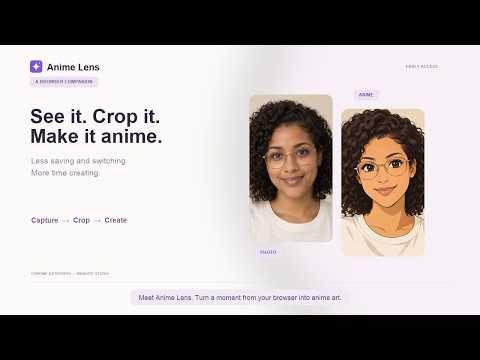
Capture a webpage, crop your image and bring it into AI Anime Generator to create anime art.
Turn a moment from your browser into anime art. Capture the visible part of a webpage, crop your subject, and send the crop to AI Anime Generator for a hand-drawn anime transformation. You can also select a JPG, PNG or WebP from your device. HOW IT WORKS 1. Click the Anime Lens toolbar icon on a normal webpage. 2. Choose Capture this tab, then crop and adjust the framing. 3. Review the crop and choose Open studio with my photo. 4. Sign in on AI Anime Generator, choose Use this photo, review the displayed credit cost, and generate. 5. Preview and download the result on the website. EXTENSION FEATURES • Capture only the visible tab, when you click. • Local cropping, zoom, and square, portrait or landscape framing. • Save a cropped copy without generating. • Carry your crop into the studio without manually downloading and uploading it. • Classic Anime transformation prompt prepared in the studio. ACCOUNT AND COST Capture and cropping do not use generation credits. AI generation takes place on ai-anime-generator.io and requires a website account and credits. Model and credit cost are displayed before generation. Installing the extension does not include unlimited or free generation. Results, facial likeness and processing time vary. YOUR PHOTO, YOUR CHOICE No background capture, browsing-history collection, cookie access, extension analytics or advertising code. Cropping happens locally. A temporary local draft opens in the studio for review; server upload happens only when you choose Use this photo. Generation is a separate action. Website processing follows the published privacy policy. Only capture images you are entitled to use. Protected browser pages may prevent screenshots. This captures the visible area, not the full scrolling page.
0 out of 5No ratings
Details
- Version0.2.0
- UpdatedOctober 23, 2026
- FeaturesOffers in-app purchases
- Size216KiB
- LanguagesEnglish (United States)
- Developer
Email
diaozxin@gmail.com - Non-traderThis developer has not identified itself as a trader. For consumers in the European Union, please note that consumer rights do not apply to contracts between you and this developer.
Privacy

Anime Lens — Photo to Anime has disclosed the following information regarding the collection and usage of your data. More detailed information can be found in the developer's privacy policy.
Anime Lens — Photo to Anime handles the following:
This developer declares that your data is
- Not being sold to third parties, outside of the approved use cases
- Not being used or transferred for purposes that are unrelated to the item's core functionality
- Not being used or transferred to determine creditworthiness or for lending purposes
Support
For help with questions, suggestions, or problems, visit the developer's support site