

Ancroo
1 rating
)
Overview
Point. Prompt. Done. An AI prompt launcher for any page — run prompts with your own LLM, no tab switching.
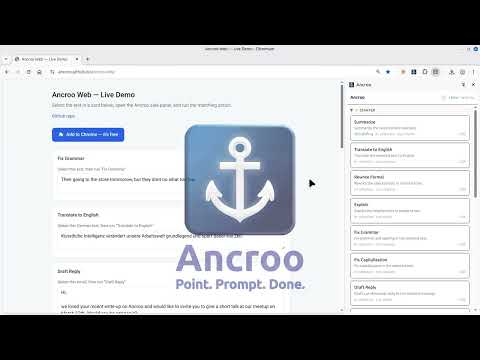
Ancroo is an AI prompt launcher for your browser. Select text on any page or type input manually, fire an AI prompt, and get results right where you need them. No tab switching. No copy-paste. SEE HOW IT WORKS A quick overview of Ancroo in action: → https://www.youtube.com/watch?v=2czqRFo1qpU SETUP IN SECONDS Connect to OpenAI, Anthropic, Google Gemini, Ollama, OpenRouter, or any OpenAI-compatible API. Add your API key, pick a default model, and you're ready. To get you going, eleven ready-made actions are set up instantly — a starting point you can edit, rename, or replace with your own: - Summarize - Translate to English - Rewrite Formal - Explain - Fix Grammar - Fix Capitalization - Draft Reply - Polite Decline - Thank-You Note - Convert to Markdown - Ask AI WATCH THE SETUP New here? This short video walks you through installing Ancroo and connecting your first provider: → https://www.youtube.com/watch?v=ZObrvL4vdXo MAKE IT YOURS These eleven are just examples. The real power is building your own: write a custom prompt and system prompt, pick the model (the editor auto-detects available models from your provider), choose how input and output work, and assign a hotkey — for exactly the tasks you do every day. TRY THE STARTER ACTIONS Once installed, open our practice page and put the starter actions to work right away. Select sample text, form fields, code, or example emails, open the side panel, and run an action to see Fix Grammar, Translate, Draft Reply, and more in action — including replace-in-place and show-in-panel outputs. → https://ancroo.github.io/ancroo-web/ POINT. PROMPT. DONE. - Side panel UI — click the extension icon or press Alt+Shift+Y to open - Hotkeys — select text, trigger an action with a keyboard shortcut, get AI results - Flexible input — pick one input per action: Selection (formatted), Selection (plain text), Whole page, or Manual entry. Your choice fills the {text} variable in the prompt; {url} and {title} are always available too - Output actions — replace selected text, copy to clipboard, insert before/after, or show in panel - Follow-up messages — after a manual-entry action shows a result, send another message right from the result view to iterate, no navigating back - Action categories — organize actions into named categories with icons; collapsible groups in the side panel - Execution history — last 50 results stored locally - Backup & restore — export actions, categories, and provider settings to a JSON file; import on any device LLM PROVIDERS - OpenAI - Anthropic - Google Gemini - Ollama — run models locally on your machine - OpenRouter — access 200+ models via a single API key - Any OpenAI-compatible endpoint FREE — BRING YOUR OWN KEY Ancroo itself is free. There's no subscription and no Ancroo account — you simply connect your own LLM provider and pay that provider directly for the API usage you choose. Prefer to keep everything on your machine? Run a local model with Ollama at no cost at all. SUPPORT Having trouble or got a question? Email us at support@ancroo.com — we're happy to help. PRIVACY Ancroo collects no analytics, telemetry, or personal data. All settings and history stay in your browser. Data is only sent to LLM providers you configure. See our Privacy Policy for details. OPEN SOURCE Ancroo is MIT-licensed and open source. Contributions welcome at https://github.com/ancroo/ancroo-web Stop switching tabs and pasting into chatbots — install Ancroo and keep AI one keystroke away, right where you already work.
5 out of 51 rating
Details
- Version1.8.1
- UpdatedOctober 2, 2026
- Offered byStefan Schmidbauer
- Size314KiB
- LanguagesEnglish
- Developer
Email
support@ancroo.com - Non-traderThis developer has not identified itself as a trader. For consumers in the European Union, please note that consumer rights do not apply to contracts between you and this developer.
Privacy

Ancroo has disclosed the following information regarding the collection and usage of your data. More detailed information can be found in the developer's privacy policy.
Ancroo handles the following:
This developer declares that your data is
- Not being sold to third parties, outside of the approved use cases
- Not being used or transferred for purposes that are unrelated to the item's core functionality
- Not being used or transferred to determine creditworthiness or for lending purposes
Support
For help with questions, suggestions, or problems, visit the developer's support site