

Ancestor PDF

Overview
Save the current page as a PDF with a matching metadata text file.
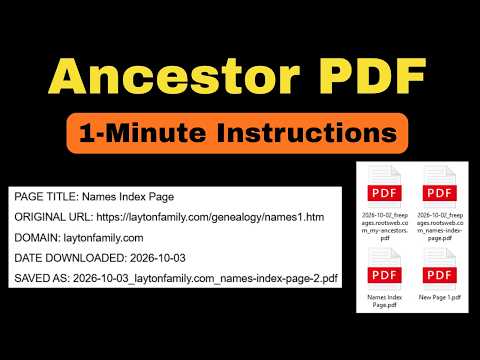
Ancestor PDF saves the web page you're viewing as a PDF, and creates a matching text file that records where the page came from. Click the toolbar button and your browser's print dialog opens with a filename already filled in. Alongside the PDF, the extension saves a small text file noting the page title, its web address, the site domain, and the date you saved it, so months or years later you always know the source of what you saved. Both files are named the same way, using the date and page, so they stay together and sort neatly in your Downloads folder. Built for family tree researchers, genealogists, and anyone who archives web pages and needs to remember where each one came from. FEATURES - One click to save the current page as a PDF - A companion text file records the page's title, URL, domain and save date - Consistent, automatic file naming by date and page - Loads lazy images before saving so nothing prints blank
0 out of 5No ratings
Details
- Version1.0.0
- UpdatedOctober 4, 2026
- Offered byMCOB Technology
- Size57.96KiB
- LanguagesEnglish
- DeveloperM.C.O.B. Technology
111 Balreask Village Navan, Co. Meath C15 H3F4 IEEmail
margaret@mcobtechnology.comPhone
+353 86 172 7849 - TraderThis developer has identified itself as a trader per the definition from the European Union and committed to only offer products or services that comply with EU laws.
- D-U-N-S987065039
Privacy

This developer declares that your data is
- Not being sold to third parties, outside of the approved use cases
- Not being used or transferred for purposes that are unrelated to the item's core functionality
- Not being used or transferred to determine creditworthiness or for lending purposes