


Overview
Find alternative content and manage access beside a site; open verified documents from the address bar.
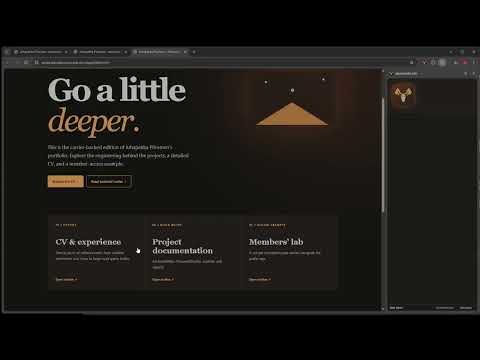
amoosed.com shows an optional second side to participating websites. Open the moose side panel while visiting a site. When the site publishes AmoosedWeb content, the panel detects its carrier index and lets you switch to that site's Amoosed mode. The alternative experience opens in a normal browser tab at the same website's origin. You can return to the ordinary site with the moose button. The panel also lets you inspect which site files carry the alternative content and check those chunks for corruption. Some participating sites may offer encrypted members-only pages. If the site owner shares an access key with you, enter it to unlock those pages. A site with no AmoosedWeb content shows the amoosed.com information panel. AmoosedWeb does not replace Chrome's browser engine or automatically change every page you visit. The extension asks for access to each site's origin when needed. The alternative app is provided by that website and runs with that website's normal browser permissions. Try the public demonstration at https://amoosed.com/. The ordinary portfolio works without the extension; Amoosed mode offers a second view and a sample Members page. The sample key is published for demonstration and is not a real subscription credential.
0 out of 5No ratings
Details
- Version0.24.2
- UpdatedOctober 22, 2026
- Size37.67KiB
- LanguagesEnglish
- Developer
- Non-traderThis developer has not identified itself as a trader. For consumers in the European Union, please note that consumer rights do not apply to contracts between you and this developer.
Privacy

This developer declares that your data is
- Not being sold to third parties, outside of the approved use cases
- Not being used or transferred for purposes that are unrelated to the item's core functionality
- Not being used or transferred to determine creditworthiness or for lending purposes