

amem Clipper

Overview
Capture any page as an AI-summarised node in your local wiki. Rich extraction on Claude / ChatGPT / Gemini; article mode elsewhere.
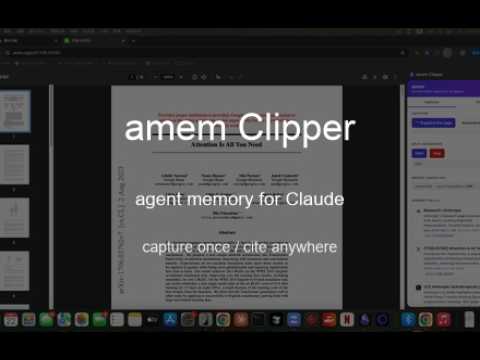
amem Clipper turns your browsing into agent memory. Press one button and the page you're on becomes a "memory ball" — a node in your local knowledge wiki, complete with title, source URL, host favicon, an AI-generated 2-sentence summary, and a stable node_id so the same URL never duplicates. Click any ball later to jump back to the source content. Open the wiki folder in Obsidian and your captures appear as a real knowledge graph. GETTING STARTED (3 steps, one-time) Step 1 — Install the amem-librarian daemon This extension is the sensor; amem-librarian is the brain that summarises pages and writes them to disk. Without it, captures stop at URL + title. The daemon is in private beta and is not publicly distributed yet. Email yiidtw@gmail.com for access. Step 2 — Start the daemon In any terminal: amem mcp serve Leave it running. The daemon listens on 127.0.0.1:7601 and the extension auto-connects. Step 3 — Capture Click the amem icon in your Chrome toolbar to open the side panel. Hit "📸 Snapshot this page" on any web page. A memory ball appears with an AI summary in 2-10 seconds. That's it. The captured page now lives in ~/.amem/wiki/<node_id>.md and is searchable by your AI agent via MCP. WHAT IT DOES • One-click capture — extracts the page's text and summarises it via your local amem-librarian daemon. • Rich extraction on AI chat sites — Claude.ai, ChatGPT, and Gemini captures include the full conversation, code blocks by language, artifacts, and binary files (PDFs Claude generated for you). • Article-mode on generic sites — Readability-style content extraction strips nav/sidebar/ads and pulls the main article body. • AI summarisation — uses your existing Claude Code subscription (claude -p), no extra cost. Falls back to local Ollama when offline. • Paste Board — your local agent prepares text for forms that have no API; the side panel surfaces it when you're on the matching page, one click copies each item. • Sort & cluster tabs — one button groups your open tabs by site into native Chrome tab groups. • Local wiki — every ball persists as a markdown file at ~/.amem/wiki/<node_id>.md with YAML frontmatter and an Obsidian-compatible Connections section. Yours to grep, git, or render. • Deduplication — the same URL captured twice updates the existing node and appends to capture history. No duplicate cards. • Click-through — ball cards open the source URL. arxiv balls open the PDF inline; X, Anthropic, and other sites open the original page. • Obsidian integration — point Obsidian at ~/.amem/wiki/ as a vault and your captures form a real knowledge graph with backlinks. • No telemetry, no cloud — the daemon runs on your machine; the wiki lives on your disk; nothing leaves localhost except page fetches you initiated yourself. WHY IT EXISTS If you use Claude Code, Cursor, or Cline daily, you've noticed the gap: your AI knows the public web but not the things you've actually read — including your own past Claude conversations. amem fixes that. Your reading (and your Claude/GPT/Gemini chats) become a citeable corpus your agent can search via MCP, so future conversations cite YOUR sources, not training data. REQUIREMENTS • macOS (Linux/Windows on the roadmap) • The amem daemon running locally (private beta — email for access) • Either a Claude Code login (default, recommended — uses your subscription) or a local Ollama install LINKS Documentation: docs.amem.sh Privacy policy: yiidtw.dev/projects/amem-clipper/policy KEYBOARD SHORTCUT Cmd+Shift+M (configurable in chrome://extensions/shortcuts) opens the side panel. WHAT'S NEW IN v0.3.0 • Paste Board — your local agent prepares text for forms that have no API (store listings, review forms); the side panel surfaces it when you're on the matching page, one click copies each item, check off as you paste • Sort & cluster tabs — one button groups your open tabs by site into native Chrome tab groups; agents can build semantic groups via the bridge • Rich per-platform extractors — Claude / ChatGPT / Gemini captures include full chat + code + artifacts + binary files, not just innerText • Article-mode extractor on generic sites (Readability-style) • Memory ball UI with favicons and inline AI summaries; dedupe by stable node_id • Obsidian deeplinks: click any ball to open its wiki note in Obsidian FEEDBACK yiidtw@gmail.com
0 out of 5No ratings
Details
- Version0.3.2
- UpdatedAugust 24, 2026
- Offered byYD
- Size65.04KiB
- LanguagesEnglish (United States)
- Developer
Email
yiidtw@gmail.com - Non-traderThis developer has not identified itself as a trader. For consumers in the European Union, please note that consumer rights do not apply to contracts between you and this developer.
Privacy

This developer declares that your data is
- Not being sold to third parties, outside of the approved use cases
- Not being used or transferred for purposes that are unrelated to the item's core functionality
- Not being used or transferred to determine creditworthiness or for lending purposes