

Amazon Product Finder - AMZScout PRO Extension

개요
AMZScout PRO extension사용으로 직관보다 실제 데이터에 근거한 틈새시장 타겟팅을 할 수 있습니다.
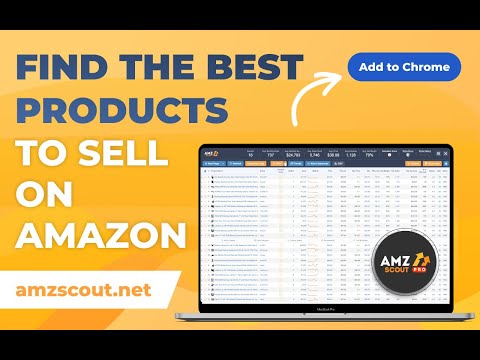
Amazon product finder lets you check any product’s sales data with just a few clicks. To do this, simply go to Amazon in your browser, search for any product, and then click the PRO Extension. You will immediately see the product’s sales volume, rank, price history, competition, trends, and other statistics that let you know if this product can bring a profit. AMZ Scout PRO is simple to use and navigate. Here are some hacks for those looking to become a seller: [Niche and product scores] AMZScout Chrome Extension provides a niche score rating and a product score for private label and reselling. With this, you can immediately know if the product is worth considering without looking into detailed product analytics. [Find the best supplier] Find products to sell on Amazon or other marketplaces to scale your business. Save time by filtering suppliers according to country and price range. [Improve your ranking] Export niche and product keywords to improve product listings and use them in your PPC campaigns. Rank higher in organic searches and get more sales. This smart product research tool is often called the most accurate tool by sellers. It helps you find unsaturated opportunities, get sourcing options, monitor your competitors, and even improve your keyword research. Level up your product discovery and hunting with these AMZScout PRO app helpful features: ➤ Product Sales History ➤ Estimated Monthly Revenue ➤ Monthly Sales Estimator ➤ Lowest Seller Price Information ➤ Automatic FBA Fee Calculation ➤ Product Profit Calculator ➤ Listing Quality Analysis ➤ BSR History ➤ Review Numbers and Rating Averages ➤ Main Product Keywords “AMZScout has been very helpful and saved me lots of time with research. They do the work for you. Thanks!” - Whitney M. “AMZScout has been a game-changer for my business. This tool is indispensable when it comes to product research. They provide accurate data, trend analysis, and low-competition opportunities. The Chrome extension is a time-saver, and their customer support is exceptional. AMZScout has more than paid for itself, and I highly recommend it to any serious sellers. Thanks AMZScout for helping me succeed!” - Juanpa H. “AMZScout gives almost all the information you need (like Helium 10 or Jungle Scout). It offers big advantages over other programs, and is also much more convenient, simple, and intuitive to use.” - Farrukh K. “I tested this tool using my LIVE account. Their numbers are extremely accurate. I was debating between purchasing JungleScout or AMZScout. AMZScout beats JS, hands-down. I strongly recommend this tool to anyone who’s serious about selling!” - Jeelani K. “I just opened a Seller account, and AMZScout was incredibly helpful as I started my journey. They really helped me learn about all which products I could sell and also which ones I should not sell. Even the onboarding process was helpful!” - Akua A. Base your product choice on concrete data to protect your investment. Find a product to launch with FBA that will bring you $5,000 per month or more! AMZ Scout Chrome Extension works in the United States, as well as these additional Amazon marketplaces: the UK, Germany, France, Italy, Spain, Canada, Mexico, India, Japan, UAE, Saudi Arabia, Australia, and Brazil. You can research 15 niches for free with the trial version. There is no credit card required. Download the PRO Extension and give this fantastic software a try! FAQ: Q: Is the cost for the extension a one-time cost? A: The cost is monthly. Q: I've bought the extension, how do I use it? A: Open the Amazon site, search for any item, and hit the extension button. You'll then see a popup with a loader. After a few seconds, there will be information about the found products. Q: Are estimated values monthly, daily or yearly? A: Estimated values are monthly. Q: How are the estimated values calculated? A: These values are calculated using formula-based top-level categories (f.e. Home & Garden, Books) and rank in one of these categories. Q: What does the Net column mean? A: Net column means price after FBA fee subtraction, and 15% subtraction of the referral fee. Q: What does the LQS column mean? A: LQS is Listing Quality Score. AMZScout analyzes many product description criteria and computes a score for it. A higher score means a higher position in the search results. To see details, point your cursor on a LQS value. Q: What does the RPR column mean? A: RPR is revenue per review. Greater RPR means a better selling opportunity. Q: Is FBA fee computing for piece or for volume? A: It is computing for piece, with a storage fee included for 1 month. It's computing based on shipping size and shipping weight taken from the item page. Q: If I have another question or problem with AMZScout, how can I get support? A: The fastest way to get support is by writing your question to support@amzscout.net.
5점 만점에 4.5점평점 878개
세부정보
개인정보 보호

Amazon Product Finder - AMZScout PRO Extension에서 데이터 수집 및 사용과 관련하여 다음 정보를 공개했습니다. 더 자세한 정보는 개발자의 privacy policy을 참고하세요.
Amazon Product Finder - AMZScout PRO Extension 항목은 다음을 처리합니다.
개발자가 사용자 데이터에 관해 다음과 같이 선언했습니다
- 승인된 사용 사례를 제외하고 서드 파티에 판매하지 않음
- 항목의 핵심 기능과 관련 없는 목적으로 사용하거나 전송하지 않음
- 신용도 판단 또는 대출 목적으로 사용하거나 전송하지 않음
지원
질문, 제안 또는 문제와 관련하여 도움이 필요하면 데스크톱 브라우저에서 이 페이지를 여세요.