

Amazon Invoice Downloader — Business & Personal

Overview
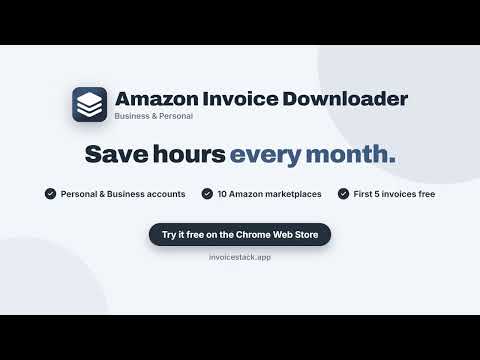
Download every invoice from your Amazon Business or personal account as PDF. Choose the period, the folders and the file names.
Downloading Amazon invoices one by one is slow and repetitive, especially when you need them for taxes or accounting. InvoiceStack lets you download your available Amazon VAT invoices in just a few clicks. It works with both personal Amazon accounts and Amazon Business accounts. Getting started is easy: 1. Enter your license key. 2. Log in to your Amazon account. 3. Select your Amazon marketplace and date range. 4. Click “Download Amazon Invoices”. The extension opens your orders page, scans the selected period and automatically downloads the invoices it finds. Your invoices are saved as PDFs and organized using your preferred file names and folder structure, ready for your accounting records. Download your first 5 invoices for free. No credit card required: https://invoicestack.app/product/amazon-invoice-downloader/#pricing Everything you get: • Automatically downloads your invoices as PDFs, straight from your Amazon account • Works with personal accounts and Amazon Business • Works on 10 European Amazon stores: UK, Germany, France, Italy, Spain, Ireland, Netherlands, Sweden, Poland and Belgium • Pick the period: the last 30 days, the last 3 months or a full year • Name files and folders your way to keep your invoices organized • If a download is interrupted, it picks up where it left off • Activate with a license key, no InvoiceStack account needed • Available in 8 languages: English, German, French, Spanish, Italian, Dutch, Swedish and Polish InvoiceStack is not affiliated with or endorsed by Amazon. Amazon is a trademark of Amazon.com, Inc. or its affiliates.
0 out of 5No ratings
Details
- Version1.3.5
- UpdatedNovember 4, 2026
- FeaturesOffers in-app purchases
- Size135KiB
- Languages8 languages
- DeveloperWebsite
Email
support@invoicestack.app - Non-traderThis developer has not identified itself as a trader. For consumers in the European Union, please note that consumer rights do not apply to contracts between you and this developer.
Privacy

Amazon Invoice Downloader — Business & Personal has disclosed the following information regarding the collection and usage of your data. More detailed information can be found in the developer's privacy policy.
Amazon Invoice Downloader — Business & Personal handles the following:
This developer declares that your data is
- Not being sold to third parties, outside of the approved use cases
- Not being used or transferred for purposes that are unrelated to the item's core functionality
- Not being used or transferred to determine creditworthiness or for lending purposes
Support
For help with questions, suggestions, or problems, visit the developer's support site