

Always Pinned
1 rating
)
Overview
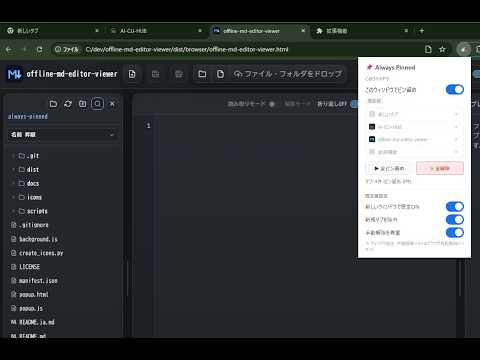
Keeps all tabs pinned. New tabs are pinned instantly, manual unpins are reversed, and each window has its own setting.
Always Pinned automatically keeps tabs pinned so your Chrome tab bar stays compact and easier to scan. Features: - Pin all open tabs at once - Automatically pin new tabs - Re-pin tabs after manual unpinning - Enable or disable per Chrome window - Global default setting and quick pause - Options for excluding new tab pages and respecting manual unpins Privacy: - No external network requests - No personal data collection - No browsing history or page content is transmitted - Settings are stored locally in Chrome storage Permissions: - tabs: read and update tab pinned status - storage: save extension settings
5 out of 51 rating
Details
- Version0.1.1
- UpdatedMay 11, 2026
- Offered byishizakahiroshi
- Size32.52KiB
- LanguagesEnglish (United States)
- Developer
Email
ishizakahiroshi.dev@gmail.com - Non-traderThis developer has not identified itself as a trader. For consumers in the European Union, please note that consumer rights do not apply to contracts between you and this developer.
Privacy

This developer declares that your data is
- Not being sold to third parties, outside of the approved use cases
- Not being used or transferred for purposes that are unrelated to the item's core functionality
- Not being used or transferred to determine creditworthiness or for lending purposes
Support
For help with questions, suggestions, or problems, visit the developer's support site