Item logo image for Always active Window - Always Visible

Always active Window - Always Visible

Featured
4.0(

194 ratings

)
ExtensionTools200,000 users
Item video thumbnail
Item media 2 (screenshot) for Always active Window - Always Visible

Overview

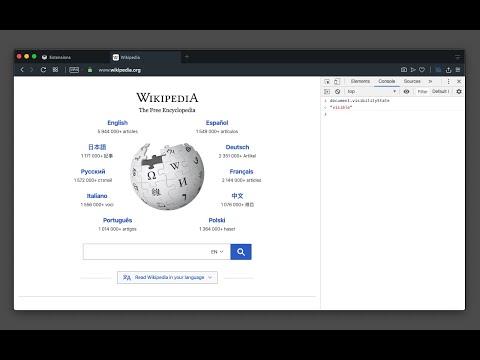
Simulate all whitelisted browser windows as active by spoofing the visibility state event and more!

[Breaking Change] Version 0.4.0 and above. The extension must now be enabled for each hostname individually. This adjustment enhances the extension's performance, as the always-active feature can disrupt websites. To activate it, open the page requiring the always-active feature in a browser tab and click the action button once. The page will refresh, and the action button will turn blue. --- This extension protects against web pages tracking the activity state of the page. Some websites use this track to only offer services when the tab is active. By installing this extension a small script is injected into every webpage which overwrites the "document.visibilityState", and "document.hidden" properties to pretend the tab is always in the active state (document.visibilityState = 'visible' and document.hidden = false). This is useful for the webpages that check your visibility state before loading resources like many music webpages. By installing this extension even if the page is opened in the background page, the player will start immediately like the page is loaded on an active tab. Supported Trackings: document.mozHidden (only on Firefox browser) document.webkitHidden (only on Chromium browsers) Supported Events: 1. visibilitychange 2. webkitvisibilitychange (only on Chromium browsers) 3. mozvisibilitychange (only on Firefox browser) 4. blur (some websites require the user to keep the tab focused) 5. mouseleave (some websites use this method to make sure the user pointer is inside the window)

Details

  • Version
    0.4.6
  • Updated
    December 16, 2025
  • Offered by
    brian.girko
  • Size
    51.05KiB
  • Languages
    2 languages
  • Developer
    Email
    brian.girko@gmail.com
  • Non-trader
    This developer has not identified itself as a trader. For consumers in the European Union, please note that consumer rights do not apply to contracts between you and this developer.

Privacy

The developer has disclosed that it will not collect or use your data.

This developer declares that your data is

  • Not being sold to third parties, outside of the approved use cases
  • Not being used or transferred for purposes that are unrelated to the item's core functionality
  • Not being used or transferred to determine creditworthiness or for lending purposes

Support

For help with questions, suggestions, or problems, visit the developer's support site

Related

Blend & Run: Enable copy and paste

4.6

Extension to copy & paste text on websites which block it.

NeoExamShield

1.1

Prevents malpractice by blocking unauthorized extensions and websites during tests on the Iamneo portal.

ViBoot

4.1

Enhance your VTOP in one click

Enable Copy Anywhere

4.6

Activate the ability to select/copy from restricted sites.

Enable Copy Paste - E.C.P

3.9

Enable copy paste on websites that have disabled copy paste.

Enable Copy/Paste

3.6

Enable copy (CTRL+C or CMD+C) / paste (CTRL+P or CMD+P) on websites that needlessly block it.

Allow Copy - Select & Enable Right Click

4.4

Enable copy on protected websites: allow right click, unblock context menu. Enable text highlight and allow copy.

Super Video Speed Controller

4.5

Adjust playback speed for any video. Video speed controller for your videos

Enable right click - allow copy & select

4.5

Enable context menus on protected websites. Unblock right click menu. Highlight and allow copy option for all pages works again.

Video Playback Speed (2x-4x-16x)

5.0

Control video playback speed from 0.25x to 16x on any website. Modern dark UI with slider and manual input controls.

Don't F*** With Paste

4.6

Prevents the blocking of copying from & pasting into input fields

Enable Copy Everywhere

4.3

Allow right-click for copying text from restricted web pages. Enable copy-paste on all the websites.

Blend & Run: Enable copy and paste

4.6

Extension to copy & paste text on websites which block it.

NeoExamShield

1.1

Prevents malpractice by blocking unauthorized extensions and websites during tests on the Iamneo portal.

ViBoot

4.1

Enhance your VTOP in one click

Enable Copy Anywhere

4.6

Activate the ability to select/copy from restricted sites.

Enable Copy Paste - E.C.P

3.9

Enable copy paste on websites that have disabled copy paste.

Enable Copy/Paste

3.6

Enable copy (CTRL+C or CMD+C) / paste (CTRL+P or CMD+P) on websites that needlessly block it.

Allow Copy - Select & Enable Right Click

4.4

Enable copy on protected websites: allow right click, unblock context menu. Enable text highlight and allow copy.

Super Video Speed Controller

4.5

Adjust playback speed for any video. Video speed controller for your videos

Google apps