


Overview
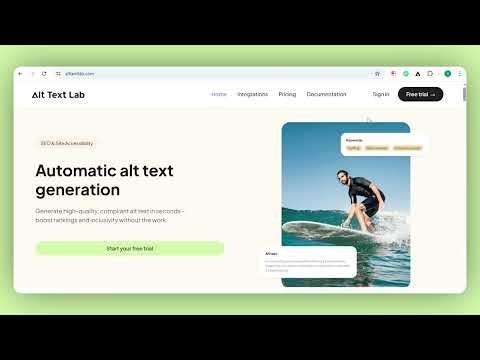
Check the alt text on any page or generate accurate, SEO-optimized alt text for any image, right from your browser.
🔹 Check any page Click the AltTextLab icon and toggle "Show alt text on this page." Every image's alt text appears right where it lives and anything missing is highlighted. 🔹 Right-click, generate, done Right-click any image, on any page and select "AltTextLab: Get alt text" for a smart, clear, descriptive alt text in seconds. 🔹 Auto-copy to clipboard Enable auto-copy in the extension options, and generated alt text lands in your clipboard the moment it's ready with no extra click required. 🔹 Boost SEO, GEO and accessibility Improve your website's visibility in search engines and LLMs and give visually impaired visitors a better experience with accurate image descriptions. 🔹 Works on any image, on any website From ecommerce product pages to blogs, Pinterest, and social posts, this alt text generator works across the web. 🔹 130+ languages Check and generate alt text in over 130 languages, useful for international teams and multilingual content. 🔹 Four writing styles to match your content Choose between descriptive, neutral, matter-of-fact and minimal output styles, so the tone of your alt text matches the context it appears in. 🔹 Permanent free plan Checking a page never requires an account. Generating does: every account includes 25 free credits a month, permanently, no credit card required. When you need more, paid plans start at $5/month. 🔹 Part of a full alt text platform When you need more than one image alt text at a time, AltTextLab connects to the same account as the WordPress plugin, Webflow integration and 20+ other integrations. Automatically generate alt text across an entire media library without leaving your CMS. 🚀 How to get started 1) Install the extension. 2) Click the AltTextLab icon in your browser toolbar. 3) Any time you want to check a page, toggle "Show alt text on this page." Alt text appears over every image, anything missing is highlighted. No account needed. 4) To generate alt text, click "Create Free Account" and sign up at alttextlab.com. 5) In the AltTextLab app, go to Settings → API Keys → click "Create API Key" and copy it. 6) Back in the extension, click "Connect Account," paste your API key and save. 7) Right-click any image on any page and select "AltTextLab: Get alt text" — and you’re done!
5 out of 510 ratings
Details
- Version1.1.2
- UpdatedAugust 18, 2026
- FeaturesOffers in-app purchases
- Size39.54KiB
- LanguagesEnglish (United States)
- DeveloperAndrei ZanouskiWebsite
Cybernetyki 15 146 Warszawa 02-677 PLEmail
contact@alttextlab.comPhone
+48 571 254 054 - TraderThis developer has identified itself as a trader per the definition from the European Union and committed to only offer products or services that comply with EU laws.
Privacy

AltTextLab – AI Alt Text Generator & Checker has disclosed the following information regarding the collection and usage of your data. More detailed information can be found in the developer's privacy policy.
AltTextLab – AI Alt Text Generator & Checker handles the following:
This developer declares that your data is
- Not being sold to third parties, outside of the approved use cases
- Not being used or transferred for purposes that are unrelated to the item's core functionality
- Not being used or transferred to determine creditworthiness or for lending purposes
Support
For help with questions, suggestions, or problems, please open this page on your desktop browser