


Overview
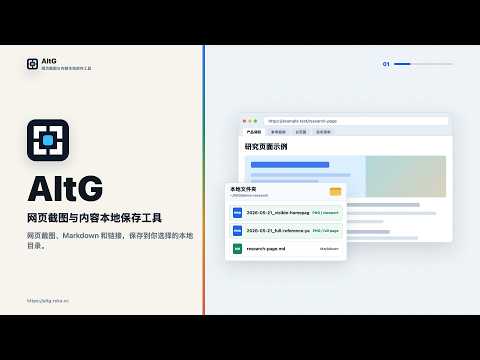
Batch save full-page screenshots and pages to Markdown/Obsidian; save and open tab links locally.
AltG is a local-first Chrome extension for people who collect, review, and organize web pages across many tabs. It helps you move browser materials into your own local folders, Obsidian vault, or LLM Wiki workflow without creating a new cloud workspace. AltG focuses on three related workflows: 1. Batch web screenshots and full-page screenshots. Save the current page visible area or full page as a PNG image file. With Pro, capture visible screenshots or full-page screenshots for all tabs in the current window. Optional watermarks and PNG metadata can keep the source URL, page title, capture mode, viewport, image size, and saved time with the image. 2. Save web pages as Markdown / Obsidian notes. Save the current page content as a Markdown file in a local folder, Obsidian vault, or LLM Wiki directory. With Pro, save the page content from all tabs in the current window in one pass. When screenshots are included, each page gets its own folder with the Markdown file and screenshot saved together. 3. Batch save and open links. Export the current window's tab links as a local TXT file, paste a list of links to open them in batch, or upload a TXT link file. Links without `https://` are completed before opening. Install AltG if you often compare products, collect references, document online workflows, archive web pages for later review, or prepare research materials from multiple browser tabs. Instead of repeatedly copying links, taking screenshots, and moving files by hand, AltG keeps screenshots, page titles, source URLs, capture modes, timestamps, Markdown files, and notes together so you can verify the original context later. AltG is designed to fit into your existing local workflow. You choose the screenshot folder and the content capture directory, including an Obsidian vault if you use one, and the extension prompts you to repair a save path if it becomes unavailable. It supports keyboard shortcuts for fast capture, optional watermarks, image and folder browsing, image preview, zoom controls, batch deletion with optional confirmation, and XLSX export with source information. For Alt+Shift+G single-page long screenshots, Alt+P or Alt+Shift+P batch screenshots, and Alt+M or Alt+Shift+M content capture with screenshots, AltG shows save or stitching progress only after screenshot pixels have been collected, so the progress dialog is not captured inside the image. Connecting an AltG web account is optional and is used to show account and Pro status in the extension. The Settings account area includes View account, active connections, Client UserAgent, Last active, a current connection badge, and remove connection confirmation. Free accounts can keep 1 active browser extension connection. Pro accounts can keep up to 5 active browser extension connections. Free or signed-out accounts always include a localized AltG technical support watermark on saved screenshot PNG files. After Pro payment, the account can remove that technical support watermark while keeping the user-configured screenshot and content capture screenshot watermark settings. For feedback and support requests, use the AltG feedback page at https://altg.reka.cc/feedback. The form asks only for an email address and message, and does not request screenshots, local files, diagnostic logs, or account identifiers. AltG is useful because it reduces repetitive browser-to-file work while keeping your saved materials under your control. The extension only reads and writes within user-authorized directories and uses browser tab information to perform the actions you request, such as capturing screenshots, saving page content, and recording source metadata.
0 out of 5No ratings
Details
- Version0.1.64
- UpdatedJuly 16, 2026
- FeaturesOffers in-app purchases
- Size697KiB
- Languages12 languages
- DeveloperWebsite
Email
casahama@gmail.com - Non-traderThis developer has not identified itself as a trader. For consumers in the European Union, please note that consumer rights do not apply to contracts between you and this developer.
Privacy

AltG - Screenshots, Markdown & Batch Links has disclosed the following information regarding the collection and usage of your data. More detailed information can be found in the developer's privacy policy.
AltG - Screenshots, Markdown & Batch Links handles the following:
This developer declares that your data is
- Not being sold to third parties, outside of the approved use cases
- Not being used or transferred for purposes that are unrelated to the item's core functionality
- Not being used or transferred to determine creditworthiness or for lending purposes
Support
For help with questions, suggestions, or problems, please open this page on your desktop browser