


Overview
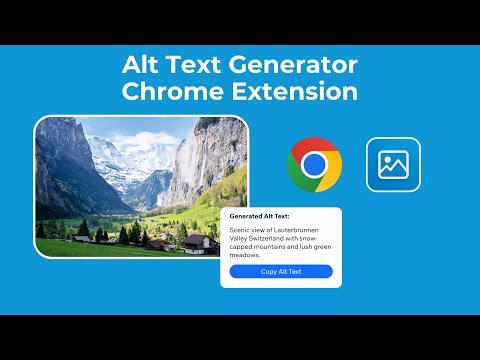
Automatically generate alt text for images using AI
Alt Text Generator AI Chrome extension automatically generates descriptive alt text for images on the web using AI to help you rank faster and improve accessibility right from your browser. You can generate alt text in multiple ways. Right-click an image, or scan a whole page and generate alt text in bulk. HOW IT WORKS 1. Install Alt Text Generator Chrome extension 2. Get your API key at AltTextGeneratorAI.com (2 free credits when you sign up). 3. Save API key and other settings in the extension pop-up window 3. Right-click any image and choose "Generate Alt Text" 4. That's it! Alt text for that image will appear automatically on the screen for you and copied to your clipboard automatically. Keyboard shortcuts – Hover over an image and press Option + Shift + A on Mac or Alt + Shift + A on Windows. FEATURES - Free Credits: Get 2 free credits upon sign up. - Right-click any image: get alt text in seconds, on any website. - Scan page: find every image on the page that has no alt text, choose the ones you want and generate them all in one go. - 130+ languages: generate alt text in English, Spanish, French, and more. - Copy as text or as HTML: copy the alt text, or the ready-to-paste alt="..." attribute. - Auto-copy: the result is copied for you right after it is generated. - History: your last 50 results are saved on history tab. - Keyboard shortcuts: generate alt text for images instantly with shortcuts for Mac and Windows. - Extensive Image Support: we support all image types. You can read our terms of service here. https://alttextgeneratorai.com/terms-of-use
0 out of 5No ratings
Details
- Version2.0.0
- UpdatedOctober 10, 2026
- Size50.18KiB
- LanguagesEnglish (United States)
- DeveloperWebsite
Email
bartermarkt@gmail.com - Non-traderThis developer has not identified itself as a trader. For consumers in the European Union, please note that consumer rights do not apply to contracts between you and this developer.
Privacy

This developer declares that your data is
- Not being sold to third parties, outside of the approved use cases
- Not being used or transferred for purposes that are unrelated to the item's core functionality
- Not being used or transferred to determine creditworthiness or for lending purposes
Support
For help with questions, suggestions, or problems, visit the developer's support site