

Allow Copy
3 ratings
)
Overview
Enables copy, paste, and right-click on websites that block them — click the icon to activate
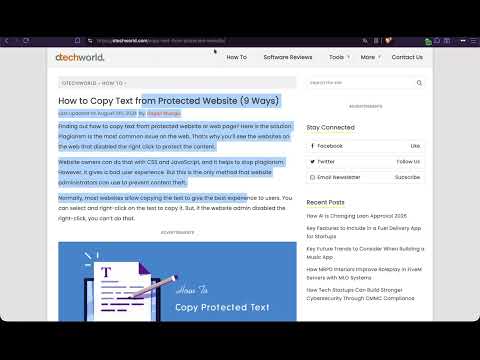
Allow Copy lets you freely copy text, paste content, and use right-click on websites that try to block these actions. How it works: Click the extension icon on any website where copy, paste, or right-click is disabled The extension instantly removes all copy restrictions from the page A green "ON" badge confirms it's active Works on any website, no setup needed Features: Re-enables right-click context menu Unblocks copy (Ctrl+C), cut (Ctrl+X), and select all (Ctrl+A) Restores text selection on protected pages Works on dynamically loaded content too Click-to-activate, only runs when you need it, no background interference Lightweight and private, no tracking, no ads, no data collection :)
5 out of 53 ratings
Details
- Version1.1.0
- UpdatedSeptember 1, 2026
- Offered bymac_marc
- Size10.5KiB
- LanguagesEnglish
- Developer
Email
marcholenstein93@gmail.com - Non-traderThis developer has not identified itself as a trader. For consumers in the European Union, please note that consumer rights do not apply to contracts between you and this developer.
Privacy

This developer declares that your data is
- Not being sold to third parties, outside of the approved use cases
- Not being used or transferred for purposes that are unrelated to the item's core functionality
- Not being used or transferred to determine creditworthiness or for lending purposes
Support
For help with questions, suggestions, or problems, please open this page on your desktop browser