

AliPacket - AliExpress Ship From & EU Warehouse Filter
26 ratings
)
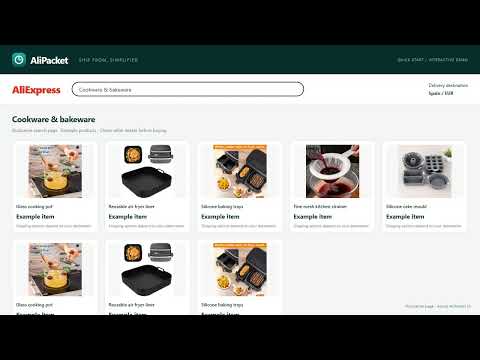
Overview
Filter AliExpress searches by ship-from country. Explore EU, US and local warehouse options where AliExpress supports them.
Looking for an AliExpress ship-from filter or EU warehouse options? AliPacket gives you a searchable country picker and a Local warehouses shortcut for searches where the site supports warehouse filtering. Choose where you want an item to ship from, without confusing that with the country it will be delivered to. Use the toolbar popup or open the small control in the bottom-left corner of the page. WHAT YOU CAN DO - Choose a ship-from country from a searchable list of 31 country options, including Spain, Germany, the United States and Brazil. Available stock and supported filters depend on your delivery destination and search. - Try Local warehouses to request the site's local-stock filter, or Everywhere to clear the ship-from restriction. - See the selection in the current page's URL and remember your last country choice for future searches. - Start a new search from a product page using its title and your chosen ship-from country. - Use country-code badges that display consistently on Windows, with light and dark appearances and a dismissible page control. HOW TO USE IT 1. Open a search or category page on AliExpress. 2. Click the AliPacket toolbar icon or the bottom-corner control. 3. Choose a country or Local warehouses. The search reloads with the corresponding filter parameters. 4. Choose Everywhere to remove the ship-from filter. FILTER AVAILABILITY AliPacket uses AliExpress's own filter parameters. It cannot create local warehouse stock or make an unavailable filter work. If the page does not offer ship-from filtering, the extension displays an explanation. Your Ship to destination, the product and the site's current behavior can affect availability. You can change Ship to in the site's header to explore another delivery market. Country options in the picker are not a guarantee that stock exists there or can be shipped to your address. Check the seller's shipping origin, delivery estimate and checkout details before buying. A selected filter does not verify an item's actual origin or guarantee faster delivery. This extension does not filter by the ePacket shipping service. PRIVACY AND AFFILIATE SUPPORT No separate account is required. Country preferences and the affiliate support setting are saved using Chrome's sync storage. The extension does not run its own analytics or send page content to a developer server. Affiliate support is enabled by default. While enabled, eligible product page navigations go through an AliExpress affiliate link before returning to the product. The affiliate service receives the product URL and may attribute a purchase to us, earning us a commission. The toolbar badge shows when this feature is enabled. The panel displays a brief notice the first time it opens. Turn affiliate support off in Settings. AliPacket is an independent extension and is not affiliated with or endorsed by AliExpress.
4.7 out of 526 ratings
Details
- Version4.0.0
- UpdatedNovember 21, 2026
- Offered bySaxsos Inc
- Size29.41KiB
- LanguagesEnglish
- DeveloperSaxsos Inc
BH Builders Building, Balughat, Manikdi Dhaka Cantonment Dhaka 1206 BDEmail
coder.sagor@gmail.com - Non-traderThis developer has not identified itself as a trader. For consumers in the European Union, please note that consumer rights do not apply to contracts between you and this developer.
Privacy

This developer declares that your data is
- Not being sold to third parties, outside of the approved use cases
- Not being used or transferred for purposes that are unrelated to the item's core functionality
- Not being used or transferred to determine creditworthiness or for lending purposes
Support
For help with questions, suggestions, or problems, please open this page on your desktop browser