


Genel bakış
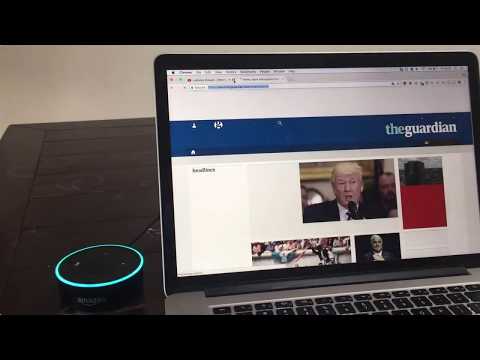
Control your Browser via Amazon Alexa
Control your Chrome™ browser via Amazon Alexa! This skill works together with the Alexa skill BrowserHelp. To install the Alexa skill, visit: www.browserhelp.me Syncing skill and extension works by Login With Amazon. After installing the Chrome™ extension, you will be prompted to login with the same Amazon account as you are using for your Echo device. Likewise, when first started, this BrowserHelp skill will prompt you to link with your account. After these steps are completed, simply try one of the sample utterances to get started. After starting the skill, you can try any of the following phrases: - Search with Google - Highlight links - Open link {number} - Remove highlighting - Navigate {back/forward} - Open favourite {1/2/3} - Scroll {up/down} - Reload page - {Open/close} tab - Show news - Open {Youtube/Google/Facebook/Twitter/Hacker News}
5 üzerinden 3,417 puan
Ayrıntılar
- Sürüm0.0.1
- Güncellenme tarihi:23 Haziran 2017
- Boyut93.66KiB
- DillerEnglish (United States)
- Geliştirici
- Tacir olmayanBu yayıncı kendisini tacir olarak tanımlamamış. Avrupa Birliği'ndeki tüketiciler açısından bakıldığında, bu geliştiriciyle yapmış olduğunuz sözleşmelerde tüketici haklarının geçerli olmadığını lütfen unutmayın.