

Copy to Figma — InspoAI
1 rating
)
Overview
Capture any web element as editable Figma layers. Right-click or press Alt+Shift+C to capture.
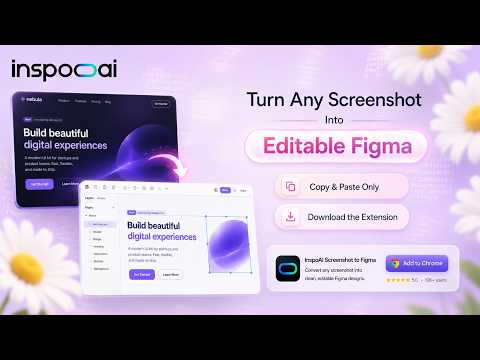
Turn any webpage into an editable Figma design — in one click. InspoAI's Screenshot to Figma extension captures any website, UI, or web element and converts it into a real, editable Figma file. No more flat PNGs pasted onto a canvas — get actual frames, layers, and text you can edit. What it does Screenshot any full page, section, or element as you browse Converts the capture into an editable Figma layout — not just an image Sends it straight to your Figma board in one click Works alongside InspoAI's design search and moodboard tools, so every capture is tagged, searchable, and organized — not lost in a downloads folder Why designers use it If you've used tools like SavetoFigma, Figscreen, GummyGrab, or SnapCap for screenshot capture, InspoAI does the same one-click capture — but goes further by making the result editable, not just a static image. It's built for HTML to Figma and website to Figma workflows where you actually need to work with the design afterward, not just reference it. Built for UI/UX designers doing competitive analysis Brand and marketing teams building mood boards Freelancers and agencies handing off design references to clients Anyone who's tired of the screenshot → save → import → resize dance How it works Click the InspoAI extension icon while browsing any site Select the section, page, or element you want to capture Get an editable Figma-ready design, plus a tagged copy saved to your InspoAI moodboard Free to start. No credit card required. Learn more at inspoai.io
5 out of 51 rating
Details
- Version2.1.4
- UpdatedOctober 1, 2026
- Offered bysharmamsat24
- Size87.88KiB
- LanguagesEnglish
- Developer
Email
inspoai.live@gmail.com - Non-traderThis developer has not identified itself as a trader. For consumers in the European Union, please note that consumer rights do not apply to contracts between you and this developer.
Privacy

Copy to Figma — InspoAI has disclosed the following information regarding the collection and usage of your data. More detailed information can be found in the developer's privacy policy.
Copy to Figma — InspoAI handles the following:
This developer declares that your data is
- Not being sold to third parties, outside of the approved use cases
- Not being used or transferred for purposes that are unrelated to the item's core functionality
- Not being used or transferred to determine creditworthiness or for lending purposes
Support
For help with questions, suggestions, or problems, visit the developer's support site