


Pangkalahatang-ideya
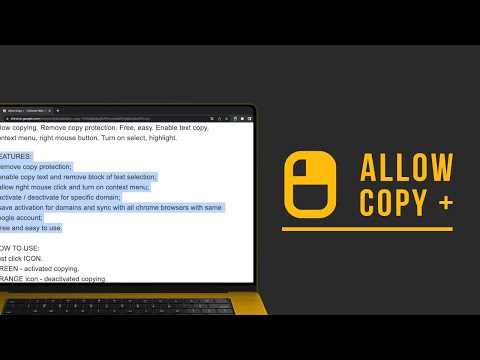
Allow copying. Remove copy protection. Free, easy. Enable text copying, context menu, right mouse button. Turn on selection.
🤩 If you like "Allow Copy +" rate 5 stars to extension 🤩 FEATURES: - remove copy protection, enable copy text, remove block selection; - allow right mouse click and turn on context menu; - activate / deactivate for specific domain; - sync with all chrome browsers with the same google account; - free and easy to use. 🚨🚧🚨BETA FEATURES: (Please, do not be scrupulous about these features, they are still in test mode) - grab text from image https://youtu.be/0rgolOJs_7g (extract text from images on linkedin wall, from instagram wall and some other websites); - extract text from google docs, and extract text from same technology used websites HOW TO USE: Just click ICON. GREEN - activated copying. ORANGE - deactivated copying. Activization works for the website(domain). HOW TO USE, DETAILY: Its turned off by default, and you can see ORANGE icon. To activate text selection and copying: - open copying protected web site; - click on extension's icon. After this the icon should be GREEN, it means that "Allow Copy +" is activated on current website. If you close and reopen current website the "Allow Copy +" will be activated. To deactivate for website just click icon one more time (the icon must changed to ORANGE color). - How do I copy a copy protected web page? - How can one copy text from a site in which the copy function is disabled? - How do I copy text from a protected webpage on Chrome? - How do I copy text from a content-protected website? - How can I copy text from a web page where the text is copy protected? - How do I copy text from a website that cannot be copied? - How do I copy text from websites that don’t allow it? - Why can't I copy text from some websites? - How do you force copy text from a website? - How do I copy past an unselectable text? - How do I absolute enable right click & copy if disabled? - How do I copy text when right click is disabled? - How do I enable right click copy in Chrome? - How do you copy and paste without right clicking? - Why can I not right click to copy and paste? All this question has one correct answer - Allow Copy +. I'm happy to help. Please, add review to "Allow Copy +" extension. Thank you.
4.8 sa 51.1K rating
Mga Detalye
- Bersyon3.0.7
- Na-updateMayo 24, 2026
- Laki732KiB
- Mga Wika50 (na) wika
- DeveloperWebsite
Email
pidevex.extensions@gmail.com - Hindi traderHindi tinukoy ng developer na ito ang sarili bilang trader. Para sa mga consumer sa European Union, pakitandaang hindi naaangkop ang mga karapatan ng consumer sa mga kontrata sa pagitan mo at ng developer na ito.
Privacy

Ipinapahayag ng developer na ito na ang iyong data ay
- Hindi ibinebenta sa mga third party na hindi kabilang sa mga naaprubahang sitwasyon ng paggamit
- Hindi ginagamit o inililipat para sa mga layuning hindi nauugnay sa pangunahing functionality ng item
- Hindi ginagamit o inililipat para tukuyin ang pagiging creditworthy o para sa mga layunin ng pagpapautang
Suporta
Para sa tulong sa mga tanong, suhestyon, o problema, pakibuksan ang page na ito sa iyong desktop browser