


Overview
Create datasets from supported mediums to analyze and classify on Kimola.
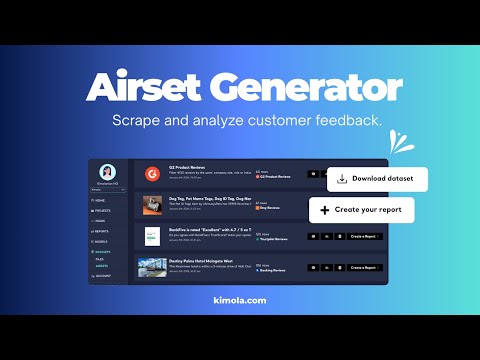
► Airset Generator – Customer Feedback Scraper by Kimola Scrape customer feedback from multiple sources with Airset Generator, powered by Kimola, and analyze it seamlessly on Kimola's customer feedback analysis platform, kimola.com Airset Generator allows you to create structured datasets by scraping comments and reviews from supported platforms. Once the data is collected, your Airsets are automatically available in the Kimola dashboard, where you can analyze customer feedback, uncover insights, and generate reports. ► About Kimola Kimola is a customer feedback analysis platform that collects, scrapes and analyzes customer feedback. Kimola lets you scrape and collect feedback from 30+ channels, then analyze reviews with AI, classify topics, and summarize it all—from product reviews and survey responses to chats and call-center conversations. Whether it’s e-commerce reviews, CSAT responses, or support tickets, Kimola transforms raw feedback into structured insights you can act on. ► Trusted by clients across 90+ countries Trusted by clients in 90+ countries, 1000+ businesses, Kimola is used by global enterprises like P&G Singapore, Lufthansa Airlines, Ford, Costa Coffee UK, Pizza Hut Spain, Michelin Brazil, Honda Netherlands, Miele, PwC as well as growing SMBs including Plan3, Astropay and Blueberry Markets. Our users range from product and #CX teams of enterprise brands to mobile applications, museums, restaurants, and even pilates studios—proving that understanding your customers matters in every industry. ◉ Before You Get Started ● Add the extension to your Chrome or Opera browser ● Pin the extension to your browser toolbar ● Sign up at https://kimola.com to get your API key ● Go to Account in the Kimola dashboard to find your API key ● Paste the API key into the required field when clicked to the extension ◉ While You’re Scraping ● Stay on the active tab during scraping; do not switch tabs ● Avoid keeping too many tabs open, as memory limitations may interrupt scraping ● Each website has different scraping behaviors (some require scrolling, loading more content, etc.); please view our YouTube tutorials for platform-specific guidance (https://www.youtube.com/@kimola101) ◉ Support & Resources Support Center: https://kimola.com/support ◉ Airset Generator Help Articles https://kimola.com/support/category/datasets ◉ Setup Guide https://kimola.com/support/set-up-the-airset-generator ◉ Supported Channels https://kimola.com/support/supported-channels-of-airset-generator
5 out of 59 ratings
Details
- Version1.1.0
- UpdatedJanuary 30, 2026
- Offered bykimolahq
- Size739KiB
- LanguagesEnglish (United States)
- DeveloperKimola, Inc
353 Sacramento Street 1800th Suite, San Francisco San Francisco, CA 94111 USEmail
beybin.esen@kimola.com - Non-traderThis developer has not identified itself as a trader. For consumers in the European Union, please note that consumer rights do not apply to contracts between you and this developer.
Privacy

Airset Generator has disclosed the following information regarding the collection and usage of your data. More detailed information can be found in the developer's privacy policy.
Airset Generator handles the following:
This developer declares that your data is
- Not being sold to third parties, outside of the approved use cases
- Not being used or transferred for purposes that are unrelated to the item's core functionality
- Not being used or transferred to determine creditworthiness or for lending purposes
Support
For help with questions, suggestions, or problems, please open this page on your desktop browser