


Yleiskatsaus
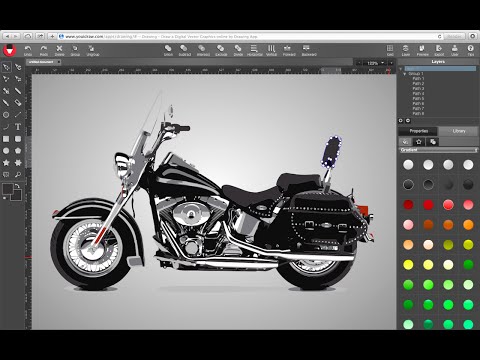
Online Vector Graphic Design on html5 canvas. Drawing online tools is a powerful vector SVG design solution, like illustrator.
Create stunning vector graphic design with YouiDraw. It’s like Adobe Illustrator or CorelDraw but it works on the cloud with Google Drive. So there’s no software to download and you can access your work anytime, anywhere. Suddenly, your creativity is unleashed! Whether you’re getting started or an experienced designer, Drawing tool is a powerful graphic design solution on web. With vector graphic design in various environment, you have everything you need to express your style and creativity. Highlight Function: 1. Template & Style You have hundreds of different style to apply, include gradient, simple and artistic styles. Many different kinds of shapes and basic icons you can use to create your work quickly. Templates graphic will improve your work and help you to get high efficiency! 2. Many different kinds of Tools you can use, such as: Pen, Pencil, Brush, Switch elements to point edit mode, straight line, curve arc, etc,. 3. Easy create text & shapes: Use shapes and text button create a shape into canvas: rectangle, round-corner rectangle, ellipse, convex, concave, gear. 4. Text & Shape Effects Fill: Set color, gradient or pattern for your design; Stroke: The Solid, Dotted, Dashed, DashDoted four types stroke; Opacity; Drop Shadow / Inner Shadow; Outer Glow / Inner Glow; Reflection & Blur effect; Light Effect: 3 different light onto your shape or text to get more amazing artistic effect. 5. SVG insert & edit: Change to edit mode, you can see some point on it, Click and drag the point to change position, or double click to change the point to curve. Use the assist point to change curve, or hold “command” or “control” key to adjust one of two assist point. 6. Transform: Change Size, Position, Scale, Skew and Rotate for your shape or text. Align for multiple shapes at once. Adjust order for shapes, take it forward or backward, to top or bottom. 7. Shape combine Five different combine mode: Union / Subtract / Intersect / Exclude / Divide 8. Share and Download Export your design to PDF, SVG, PNG, JPG, etc,. Share to our template library to get high rank and followers.
3,1/5246 arvostelua
Tiedot
- Versio1.0.2
- Päivitetty3. joulukuuta 2019
- Koko17.16KiB
- KieletEnglish (United States)
- Kehittäjä
- Muu kuin elinkeinonharjoittajaKehittäjä ei ole tunnistautunut elinkeinonharjoittajaksi. Huomioitavaa kuluttajille Euroopan Unionin alueella: Kuluttajan oikeudet eivät päde sinun ja kehittäjän välisiin sopimuksiin.
Tietosuoja

Tuki
Jos sinulla on kysymyksiä, ehdotuksia tai ongelmia, avaa tämä sivu tietokoneen selaimella