

AI Form Filler & Autofill - Aiformfills, Form Automation

Overview
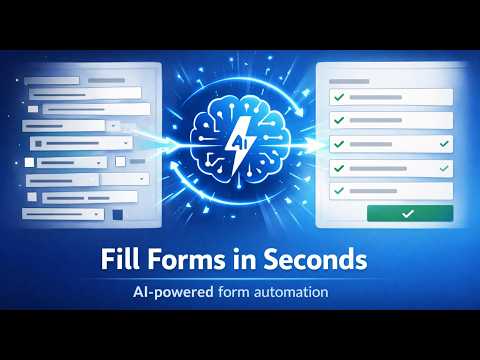
Capture any page, AI fills any form. Cross-page form filler — extract data from one site, auto-fill forms on another. Zero setup.
🚀 AI Form Filler & Web Data to Excel – Stop Manual Copy-Pasting Still spending hours switching tabs, copying, and pasting data between websites, CRMs, and spreadsheets? Aiformfills is your AI-powered productivity assistant designed for business teams. Whether you are listing products on e-commerce platforms, inputting candidate resumes into HR systems, or updating CRM records, Aiformfills automates your daily data entry in just one click — no coding required. --- 🔍 Key Features (What Aiformfills Can Do For You): • ⚡ Smart AI Form Filler : Copy or select text from any source page, and Aiformfills automatically maps and fills the target fields — even if field names don't match exactly. • 📊 Extract Table to Excel / CSV : Collecting candidate profiles, product details, or order info from dozens of pages? Define your column headers, browse through pages, and let AI aggregate everything into a clean CSV/Excel sheet automatically. • ✍️ Plain-English AI Prompts : Tell the AI what to do using natural language. Clean, reformat, or translate data on the fly while filling out forms. • 🔄 Cross-System Automation : Seamlessly sync and transfer data across CRMs, admin panels, ERPs, and e-commerce marketplaces without complex APIs. --- 🎯 Popular Use Cases (Built for Real Business Workflows): • 🛒 E-Commerce & Cross-Border Sellers : Copy product details from supplier websites and autofill listing forms on eBay, Amazon, Shopify, or Etsy. (Pro tip: Ask AI to "Translate titles to English and convert prices to USD" automatically!) • 👥 HR & Recruiters : Browse candidate profiles on job sites and export names, emails, and work experience into a single candidate spreadsheet. • 💼 Sales & Operations (CRM / ERP) : Instantly push prospect info from web pages into Salesforce, HubSpot, or internal web portals with zero typing errors. • 🧾 Logistics & Accounting : Track shipments across multiple tracking pages and consolidate order details into one master log. --- ✍️ Custom AI Prompts – Make Data Work Your Way No technical skills needed. Simply write plain instructions to format your data before it fills: "Translate product descriptions to Spanish" "Merge First Name and Last Name into Full Name" "Reformat all dates to YYYY-MM-DD" "Extract phone numbers and remove dashes" --- 🧠 How It Works in 3 Simple Steps: 1️⃣ Select or Copy data from your source page (or click to extract). 2️⃣ Add a Custom Prompt (Optional): Type what you want to change (e.g., "Summarize in 2 sentences"). 3️⃣ Click Autofill: Open your target form and hit Autofill. Done! --- 🔐 Privacy & Security – 100% Chrome Compliant • Triggered ONLY by explicit user actions (click/copy/paste). • No hidden background tracking or unauthorized data collection. • Fully compliant with Chrome Web Store Security Standards. --- 👉 Install Aiformfills today and save 2+ hours of repetitive manual typing every single day!
5 out of 51 rating
Details
- Version1.2.4
- UpdatedSeptember 15, 2026
- FeaturesOffers in-app purchases
- Size826KiB
- LanguagesEnglish
- DeveloperWebsite
Email
support@aiformfills.com - Non-traderThis developer has not identified itself as a trader. For consumers in the European Union, please note that consumer rights do not apply to contracts between you and this developer.
Privacy

AI Form Filler & Autofill - Aiformfills, Form Automation has disclosed the following information regarding the collection and usage of your data. More detailed information can be found in the developer's privacy policy.
AI Form Filler & Autofill - Aiformfills, Form Automation handles the following:
This developer declares that your data is
- Not being sold to third parties, outside of the approved use cases
- Not being used or transferred for purposes that are unrelated to the item's core functionality
- Not being used or transferred to determine creditworthiness or for lending purposes
Support
For help with questions, suggestions, or problems, please open this page on your desktop browser