

Tabsafe: Tab Session Backup & Restore After a Crash

Overview
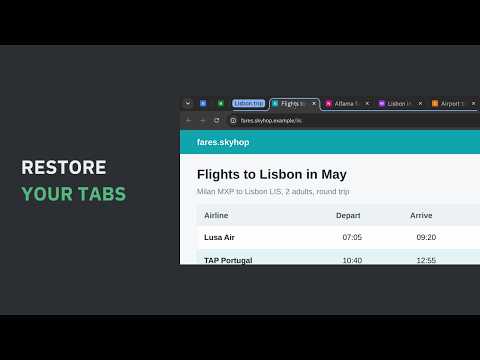
After a crash or a bad update, Tabsafe restores every window and tab from a checked backup file on your computer.
A side panel beside your tabs holds your named sessions and every snapshot, and one click brings a session back. • Automatic snapshots of your session, each one checked after it is saved • A restore card after a restart that lost tabs, with the windows, pinned tabs and tab groups from just before • Every closed tab logged and searchable • A library page with search across everything, collections you send tabs to from the page menu or a shortcut, and Save and close for tabs you are done with for now • A weekly backup file in your Downloads folder, outside the browser profile, plus imports from other session managers • Drive sync, off until you turn it on: your library, encrypted in your browser, to the app folder of your own Google Drive Free keeps unlimited named sessions, manual backup and every import, with no account, and works offline. Pro adds a daily verified backup, a weekly restore test, long history and Drive sync. Pro and pricing: https://tabsafe.exotools.dev/pricing Your tabs stay on your computer. Sent: your licence key, the product name and a random install id when it is checked. Drive sync, once on, sends your library, encrypted, to your own Google Drive. PERMISSIONS • tabs: the address and title of your open tabs • storage and unlimited storage: snapshots, closed tabs, named sessions and settings, kept on your computer • alarms: automatic saves, scheduled files and the weekly restore test • downloads: files in a Tabsafe folder in your Downloads folder • tab groups: group names and colours, kept with your tabs • side panel: the log beside your tabs • context menus: Send to list on a page, a tab and the toolbar button • offscreen: a hidden page that writes the file • identity and www.googleapis.com, both optional: asked only when you turn on Drive sync, to sign in to Google and reach your Drive app folder Every feature in detail, guides and the changelog: https://tabsafe.exotools.dev Suggest a feature: https://tabsafe.exotools.dev/roadmap
0 out of 5No ratings
Details
- Version1.4.0
- UpdatedOctober 29, 2026
- Offered byexochard
- Size282KiB
- LanguagesEnglish
- DeveloperGiuseppe Castelluccio
Contrada Forno Alto, 35 Capo d'Orlando, ME 98071 ITEmail
peppecastellos245@gmail.comPhone
+39 324 811 7462 - TraderThis developer has identified itself as a trader per the definition from the European Union and committed to only offer products or services that comply with EU laws.
Privacy

Tabsafe: Tab Session Backup & Restore After a Crash has disclosed the following information regarding the collection and usage of your data. More detailed information can be found in the developer's privacy policy.
Tabsafe: Tab Session Backup & Restore After a Crash handles the following:
This developer declares that your data is
- Not being sold to third parties, outside of the approved use cases
- Not being used or transferred for purposes that are unrelated to the item's core functionality
- Not being used or transferred to determine creditworthiness or for lending purposes
Support
For help with questions, suggestions, or problems, visit the developer's support site