

AI Workspace: Prompt Manager & Chat Organizer for ChatGPT, Claude, Gemini

Overview
Prompt manager and chat organizer. Save AI chats and export them to Markdown, Notion or Gemini Notebook. Also works with Grok.
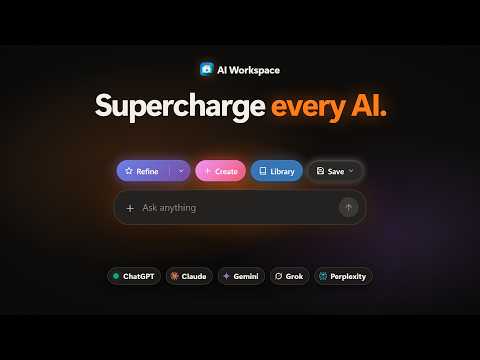
AI Workspace is a prompt manager and chat organizer for ChatGPT, Claude, Gemini and Grok. Build a prompt library with reusable templates, save and organize ChatGPT conversations, and export chats to Markdown or Notion. Insert any saved prompt into the chat box in one click, or type a slash command to search your library without leaving the page. Where it works: Saving chats and importing your chat history work on ChatGPT, Claude, Gemini and Grok. You can also save chats from Perplexity. The prompt toolbar also works on DeepSeek, Microsoft Copilot, Mistral and Poe, and on other AI chat sites. Main features: - Prompt library and templates: Save prompts and reusable templates, and fill in template variables as you insert them. Organize everything in folders, and find items quickly through favorites and recent history. You can also explore starter prompts, chain prompts together, and import or export your library. - Share prompts and packs: Turn a single prompt, or a whole folder as a pack, into a link anyone can open. People who open it can import it into their own library. You can show your name, keep the link updated as you edit, and revoke it at any time. Sharing requires signing in. - Save chats and snippets: Save the current conversation, or text you select on any web page. Add titles, notes and tags, then pin items or file them in folders. - Reuse saved chats as context: Insert a saved chat or snippet into a new prompt, so you can continue a conversation in another AI tool without copying and pasting. - AI Refine and Create: Improve a prompt with quick or custom refine presets, or build a new prompt with a guided flow. Each use spends AI credits. - Chat history import: Load your past conversations from supported sites, keep local copies, and search them. Free imports cover your recent chats. Lifetime Workspace also loads older chats. - Export and backup: Copy or download chats as Markdown, and create or restore local JSON backups. Chats can also be exported to Notion, Obsidian or Gemini Notebook (formerly NotebookLM). Bulk export and resync are part of Lifetime Workspace. Privacy: - Saved chats and snippets stay in your browser and are encrypted on your device. They are never uploaded to our servers. - Exports go from your browser straight to the destination you choose. Our server is used only to sign in to Notion and keep that connection active. - Prompts, templates and folders sync between your devices only if you have Lifetime Workspace and turn on Prompt Library Sync. - AI Refine and Create send the text you are refining to our server and to Google Gemini to produce the result, along with basic request details. - If a feature stops working on a site, the extension sends an anonymous error report with the feature, the site and the reason. It never includes chat text, titles or URLs, and you can turn it off in Settings. Pricing: AI Workspace is free to use, with an optional one-time upgrade. There is no subscription. The free plan includes unlimited prompt and template inserts, local chat saving and search. It also includes 5 prompt folders and 5 chat and snippet folders. You can insert saved chats or snippets as context 10 times, and export to Notion, Obsidian or Gemini Notebook 10 times. These are totals, not monthly limits. Copying and downloading Markdown are always free. New installs include 5 AI credits, and your first sign-in adds 10 more, once. Lifetime Workspace is a one-time purchase. It adds Prompt Library Sync and removes the limits on folders, context inserts and exports. It also unlocks older chat history and bulk export, and includes 2,500 AI credits. Extra credits are sold as one-time packs. FAQ: Is AI Workspace a subscription? No. The free plan has no time limit, and Lifetime Workspace is a single payment. Where are my saved chats stored? In your browser, encrypted on your device. They are not part of cloud sync. Do the free export limits reset each month? No. The free plan includes 10 exports and 10 context inserts in total. Lifetime Workspace removes both limits. Can I export ChatGPT chats to Markdown for free? Yes. Copying or downloading a chat as Markdown is free and unlimited. AI Workspace is an independent extension and is not affiliated with OpenAI, Anthropic, Google or xAI. It is also not affiliated with any other AI site it works on.
5 out of 54 ratings
Details
- Version1.5.7
- UpdatedOctober 27, 2026
- FeaturesOffers in-app purchases
- Size20.59MiB
- Languages10 languages
- DeveloperWebsite
Email
mo143on@gmail.com - Non-traderThis developer has not identified itself as a trader. For consumers in the European Union, please note that consumer rights do not apply to contracts between you and this developer.
Privacy

AI Workspace: Prompt Manager & Chat Organizer for ChatGPT, Claude, Gemini has disclosed the following information regarding the collection and usage of your data. More detailed information can be found in the developer's privacy policy.
AI Workspace: Prompt Manager & Chat Organizer for ChatGPT, Claude, Gemini handles the following:
This developer declares that your data is
- Not being sold to third parties, outside of the approved use cases
- Not being used or transferred for purposes that are unrelated to the item's core functionality
- Not being used or transferred to determine creditworthiness or for lending purposes
Support
For help with questions, suggestions, or problems, visit the developer's support site