


Overview
Free AI web scraper. Click the data you want, AI names the fields, export to Excel, CSV, JSON or Google Sheets. No code.
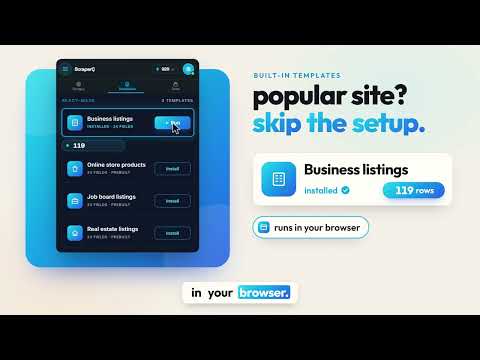
ScraperQ is a free AI web scraper for Chrome. Click the data you want, let AI find and name the fields, and export it to Excel, CSV, JSON or Google Sheets. No code and no inspecting elements. Scraping in the extension is free with no page or data limit for anyone who signs in with Google. WHAT YOU CAN DO 👇Build your own scraper on any public website: click the items you want and AI writes and names the selectors. 👇50+ prebuilt templates. Open the site, click Run, get a spreadsheet. 👇Scrape a list page, open each result for its details, or run a batch of URLs (paste them or upload a CSV or Excel file). 👇Export to CSV, JSON, Excel (.xlsx) or Google Sheets. 👇Templates repair themselves when a site changes its layout (auto-healing selectors), so you build once. 👇Infinite Scroll & Pagination 👇Pause & Resume with Checkpoints 👇Reusable Templates with Health Monitoring 👇Built in Data Transformation & Presets 👇Site Intelligence Analysis HOW IT WORKS Install the extension and sign in with Google. Open the page you want data from. Pick a template, or click the data to build your own. Choose how many items, the crawl mode and the export format. Follow the job in the Jobs tab and download the file. Prebuilt Templates and guides: https://scraperq.com/template?utm_source=chrome_web_store&utm_medium=listing&utm_campaign=store_listing DATA EXTRACTION USE CASES 🛒 E-commerce price & catalog tracking — Extract product names, prices, ratings, and descriptions, images etc. Monitor competitor pricing and catalog changes over time. 🏠 Real estate listing aggregation — Scrape property listings, prices, square footage, and agent details from Zillow, Redfin, and public property portals. 📇 Business directory extraction — Build structured contact datasets from public directories. 📈 Market & competitor research — Monitor competitor pricing, product catalogs, and customer reviews on public pages. 💼 Job board monitoring — Extract job listings, company details, and salary ranges from public job boards and career pages. 🔄 Any structured data on public pages — If it appears as a repeating list or table on a page you're authorized to access, ScraperQ can extract it. Questions: support@scraperq.com PRIVACY Authentication credentials are used locally in your browser — never uploaded to ScraperQ servers. Extracted data is processed locally and transferred directly to your chosen destination. We do not store, read, or retain the content you extract. No analytics. No telemetry. Extract reliably. Build your data scraper templates once.
5 out of 53 ratings
Details
- Version1.5.0
- UpdatedNovember 11, 2026
- FeaturesOffers in-app purchases
- Size3.07MiB
- Languages2 languages
- DeveloperScraperQWebsite
Meraj Nagar Madrasha Rd Plot: 1972, Block: D Dhaka 1362 BDEmail
saifulprogrammer@gmail.com - Non-traderThis developer has not identified itself as a trader. For consumers in the European Union, please note that consumer rights do not apply to contracts between you and this developer.
Privacy

AI Web Scraper, No Code has disclosed the following information regarding the collection and usage of your data. More detailed information can be found in the developer's privacy policy.
AI Web Scraper, No Code handles the following:
This developer declares that your data is
- Not being sold to third parties, outside of the approved use cases
- Not being used or transferred for purposes that are unrelated to the item's core functionality
- Not being used or transferred to determine creditworthiness or for lending purposes